 HF Panel
Keyboard shortcuts
The keyboard shortcuts of HF Mail for writing, searching, moving between folders and acting on messages.
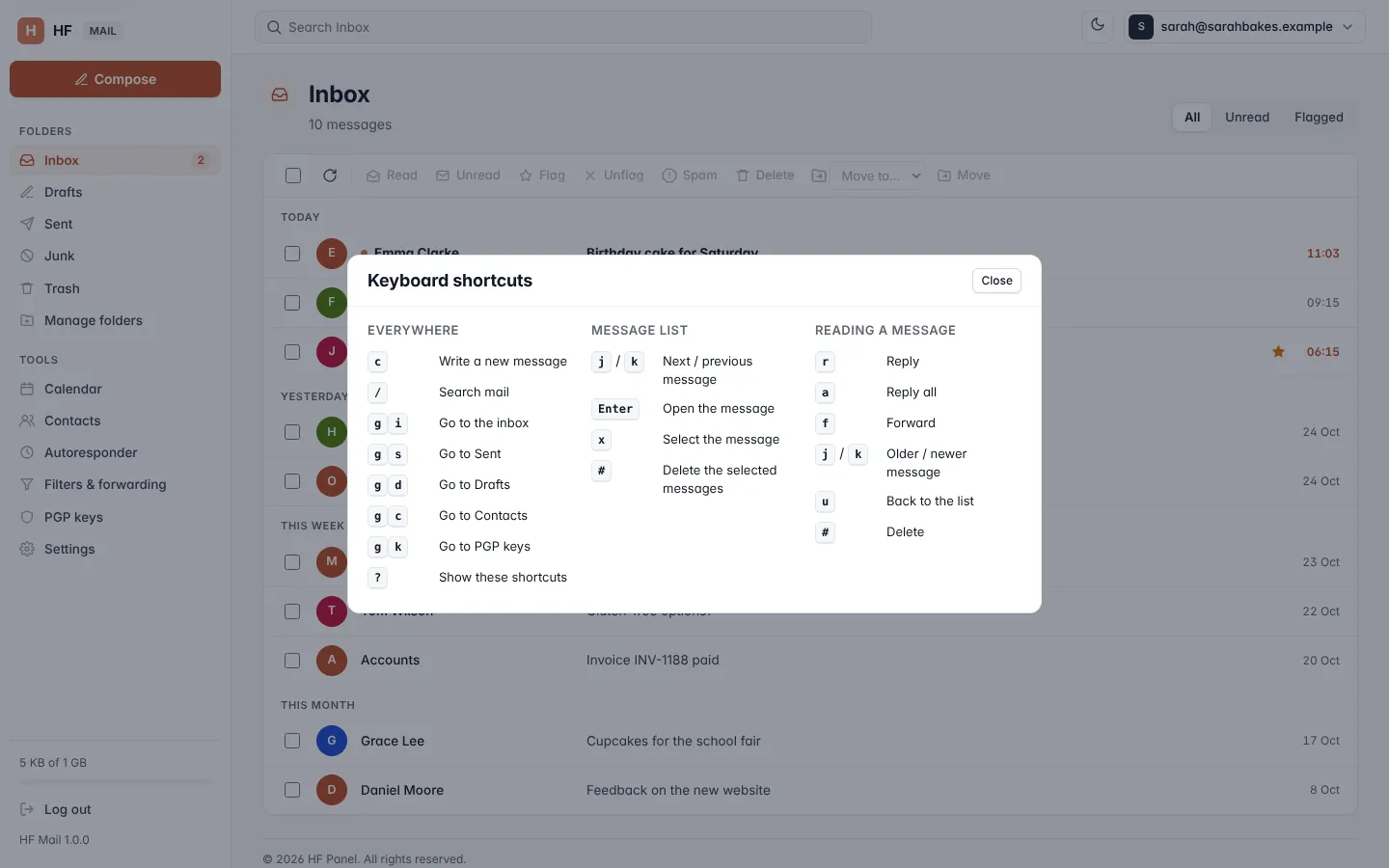
HF Mail has keyboard shortcuts for the most common actions. Press ? on any page to see the list. Shortcuts don't
work while you are typing in a field.
Where: HF Mail, any page (press ?)
Everywhere
| Keys | What they do |
|---|---|
c |
Write a new message |
/ |
Search mail |
g then i |
Go to the inbox |
g then s |
Go to Sent |
g then d |
Go to Drafts |
g then c |
Go to Contacts |
g then k |
Go to PGP keys |
? |
Show these shortcuts |
For the two-key shortcuts, press the second key within 1.5 seconds of the first.
Message list
| Keys | What they do |
|---|---|
j / k |
Next / previous message |
Enter |
Open the message |
x |
Select the message |
# |
Delete the selected messages |
Reading a message
| Keys | What they do |
|---|---|
r |
Reply |
a |
Reply all |
f |
Forward |
j / k |
Older / newer message |
u |
Back to the list |
# |
Delete |
Press Esc or click Close to close the shortcuts list.