 HF Panel
New site
Make a new site in HF Server in one click: WordPress, Laravel, Symfony, Drupal, React, Next.js, Vue, a ZIP file or a Git repository.
New site makes a ready-to-use project in htdocs, installs what it needs and shows the installer's output live.
Where: HF Server › Sites › New site
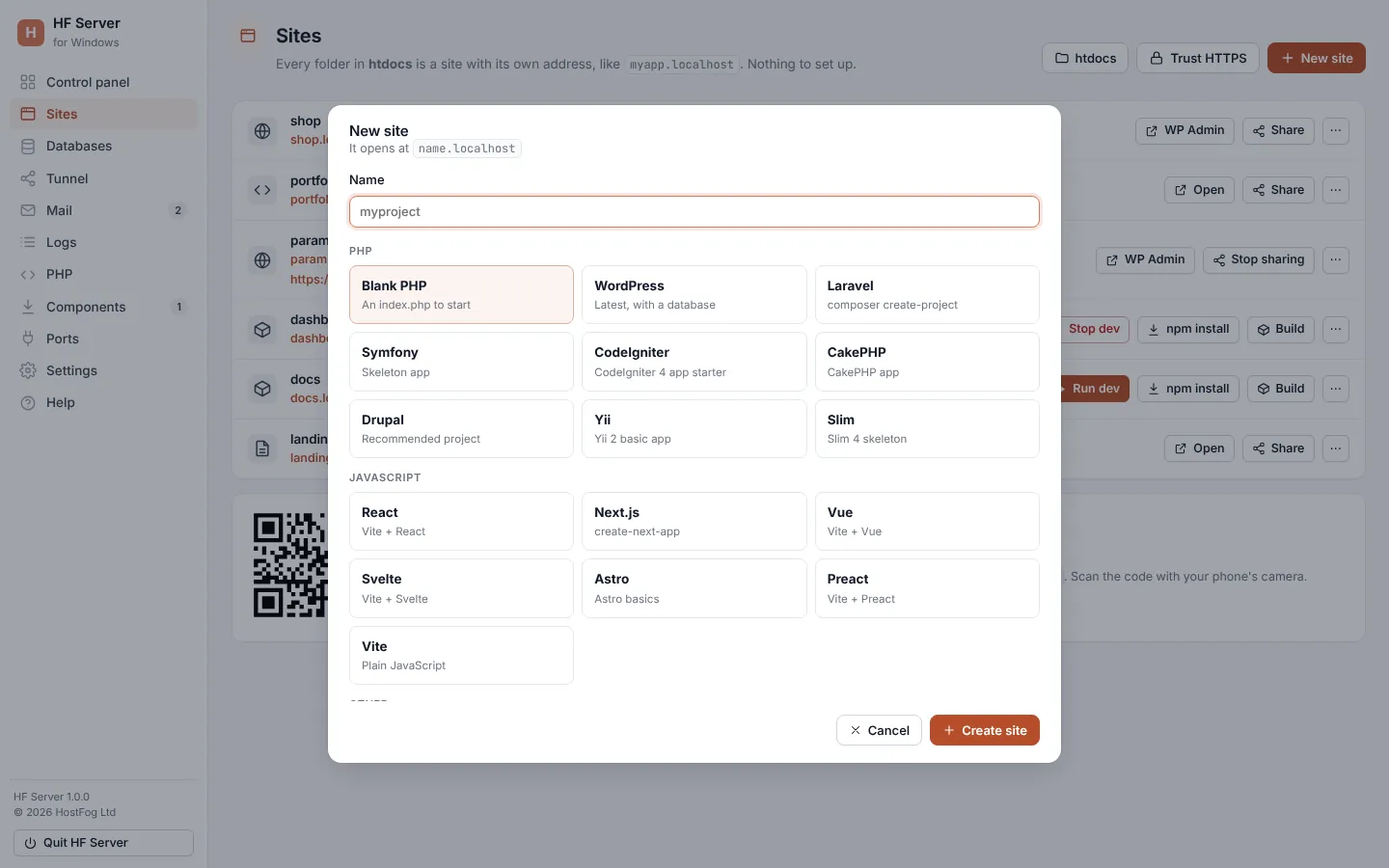
Make a site
- Click New site.
- Type a Name: letters, numbers,
-and_, starting with a letter or number (up to 41 characters). The dialog shows the address it will open at. - Choose what to make.
- For From a ZIP or From Git, type the link to the
.zipfile or the repository address. - Click Create site.
The output appears in a terminal window (Creating myproject…). Click Hide (keeps going) to close it while the work carries on; Show output on the Sites page brings it back. When it is done, click Open site (for WordPress and Drupal, Open and finish setup).
What you can make
| Group | Choice | What you get |
|---|---|---|
| PHP | Blank PHP | an index.php to start |
| WordPress | the latest WordPress, with a database | |
| Laravel | a new Laravel project (composer create-project) |
|
| Symfony | the Symfony skeleton app | |
| CodeIgniter | the CodeIgniter 4 app starter | |
| CakePHP | a CakePHP app | |
| Drupal | the recommended Drupal project | |
| Yii | the Yii 2 basic app | |
| Slim | the Slim 4 skeleton | |
| JavaScript | React | Vite + React |
| Next.js | a Next.js app | |
| Vue | Vite + Vue | |
| Svelte | Vite + Svelte | |
| Astro | Astro basics | |
| Preact | Vite + Preact | |
| Vite | plain JavaScript with Vite | |
| Other | Static HTML | an index.html |
| From a ZIP | the contents of a .zip file from a link |
|
| From Git | a clone of a Git repository |
A choice that needs a component you haven't installed shows Needs PHP, Needs Node.js or Needs MariaDB. Install it on Components first.
Note: a WordPress site gets its own database, shown on the Databases page with the site's name.
From a terminal, hostfog new wordpress blog does the same. See Command line.