 HF Panel
Speed test
Test how fast a website loads, fix what it finds with one click, and set the page cache, compression and browser caching.
The speed test measures how fast a website loads and gives it a score from 0 to 100, with tips to make it faster. Tips the panel can fix itself have a Fix it button; the others link to the screen where you fix them. Under the score, Speed settings holds the website's page cache, compression and browser cache.
Where: Control Panel › Websites › Speed test
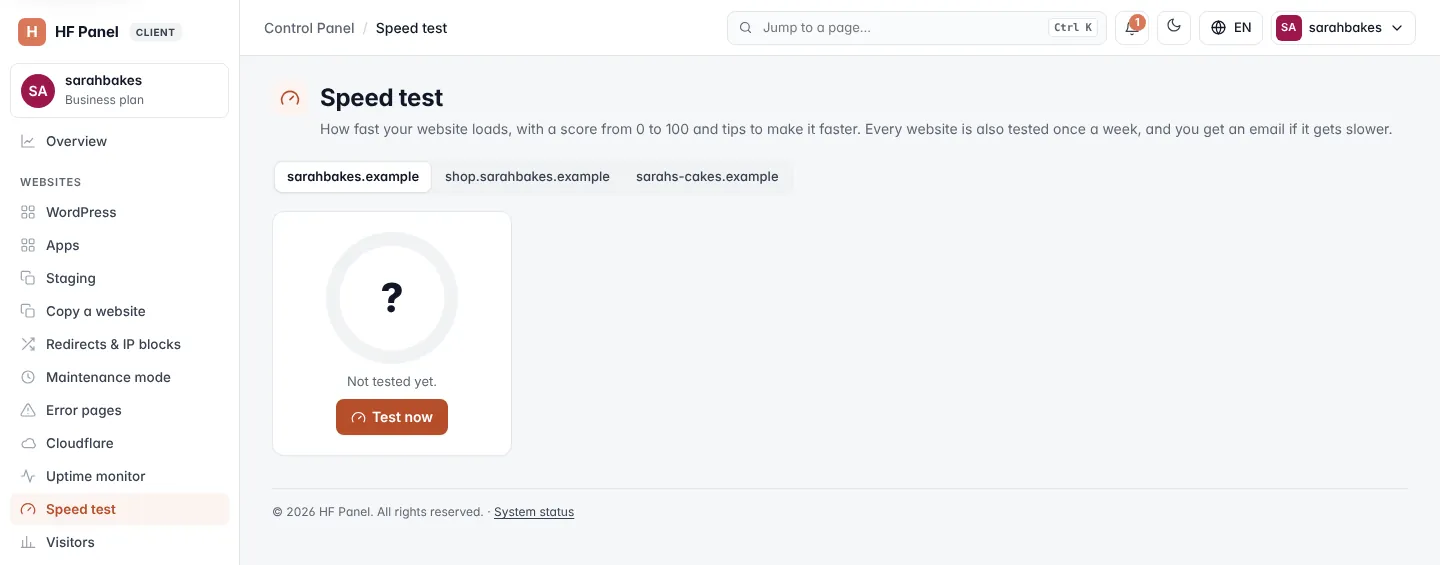
The test runs from the server itself: it measures your hosting and your page, not the visitor's internet connection.
Test a website
- Click the website in the picker at the top. Websites that were tested before show their last score.
- Click Test now (or Test again).
When the test is done the message shows the score, for example 87 / 100. If the page could not be loaded, check that the website is switched on and its files are uploaded.
Note: you can run up to 20 tests per account an hour.
If your hosting provider has the weekly test switched on, the screen says so: every website is also tested once a week, and you get an email if its score drops by 10 or more.
Read the result
| Part | What it shows |
|---|---|
| Score | 0–100 with a verdict: Fast (90 and over), Could be faster (50–89) or Slow (under 50), and when it was tested |
| Server response | the time to first byte. If the first visit was much slower than later ones, it is shown too. |
| Page size | the page with its images, styles and scripts |
| Files | how many files the page loads, how many are images and how many come from other sites |
| Score history | a small chart of the score over your tests, shown after two tests |
Make it faster
Make it faster lists the tips, with the points you can gain first (for example +15). Click Fix it on a tip and the panel does it for you:
| Tip | What Fix it does |
|---|---|
| Page cache (or a slow server response of a PHP site without it) | switches the page cache on, keeping pages 10 minutes |
| Compression | switches gzip compression on for the website (and Brotli when the server has it) |
| Browser caching | lets browsers keep images, styles and scripts for 30 days |
| Modern image format (WebP) | runs the image optimiser on the website (lossless) and adds WebP copies; you can follow it live |
Then click Test again to see the new score. Other tips have a button that opens the screen that fixes them, such as PHP settings, Image optimiser, Redis cache, SSL/TLS or Logs. If there is nothing to improve, the screen says "Nothing to improve — this website does everything the test checks."
All checks
| Check | Points | What it looks at |
|---|---|---|
| Server response time | 25 | how long before the first byte arrives |
| Page cache | 10 | whether pages come from the page cache (switched on under PHP settings) |
| Compression | 10 | whether pages are sent compressed (for example Brotli) |
| HTTPS | 10 | a working certificate, and whether http:// goes to https:// |
| Page size | 15 | the total size of the page and its files |
| Large images | 10 | images over 300 KB |
| Modern image format (WebP) | 5 | the share of images served as WebP |
| Number of files | 5 | how many separate files the page loads |
| Browser caching | 5 | the share of files the browser may keep |
| HTTP/2 | 5 | whether the page is served over HTTP/2 |
| PHP version | 5 | the PHP version of the website |
| Redis object cache (WordPress) | 5 | for WordPress, whether it keeps its object cache in Redis |
Some checks only appear when they apply, for example the PHP and Redis checks. Lazy loading may be listed as a tip without points.
Under the table, Details shows the plain facts: the compression used, the HTTP version (HTTP/2, and HTTP/3 when the
server offers it), the page cache's answer (HIT, MISS, BYPASS… from the X-HostFog-Cache header), the page's
own Cache-Control header and the image formats found. Largest images lists the biggest images with their size.
Speed settings
Each setting saves as soon as you change it.
| Setting | What it does |
|---|---|
| Page cache | Off, or how long ready-made pages are kept (5, 10, 30 minutes or 1 hour). Works for websites on Nginx only and on Nginx + Apache. |
| Pages with a query string (?…) | whether addresses such as /shop/?colour=red are cached too. Server default is set by your hosting provider; normally they are not cached. |
| Compression (gzip / brotli) | Server default, On or Off for this website |
| Browser cache for images, styles and scripts | how long visitors' browsers keep these files: No expiry, 1 day, 7 days, 30 days or 1 year |
Empty page cache (shown while the page cache is on) removes the saved pages at once.
The page cache never keeps pages for logged-in visitors (WordPress, WooCommerce and other shops), carts, checkouts,
admin pages, searches and form posts. A WordPress website gets a small must-use plugin that empties its page cache
within a minute when you publish or change something. Each answer has an X-HostFog-Cache header, so you can see in
your browser's developer tools whether a page came from the cache.
Note: a website that runs a Node.js app has no page cache or browser cache choice; compression still applies.
Tip: the Image optimiser usually takes off the most weight, without any visible difference.