 HF Panel
Control panel
Start, stop and restart Apache, Nginx, MySQL, PostgreSQL and Redis in HF Server, open their config files and logs, and read the activity log.
The Control panel page is HF Server's home. It shows each server with its state, port, process ID and memory, and has buttons to start and stop them.
Where: HF Server › Control panel
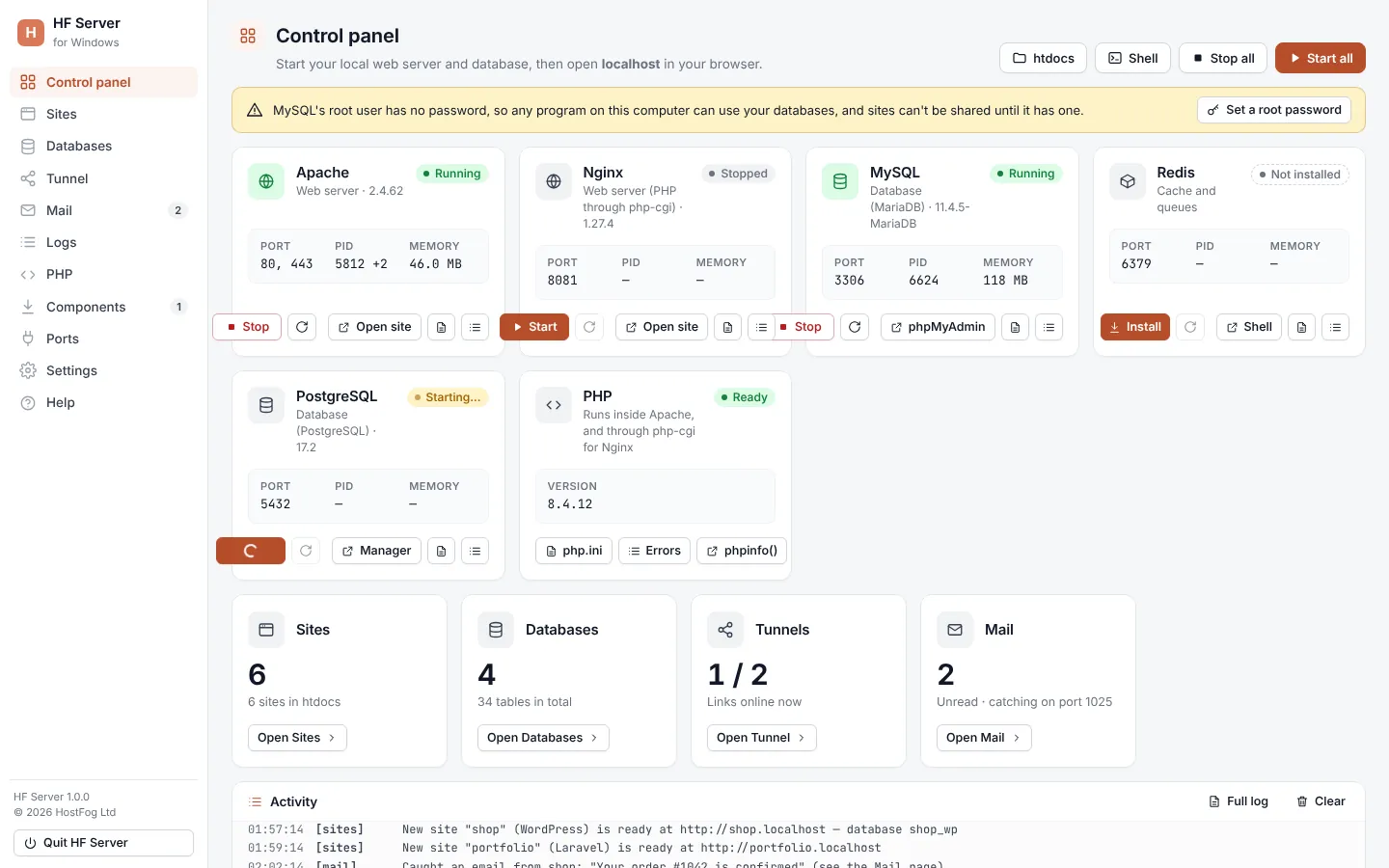
Start and stop everything
| Button | What it does |
|---|---|
| Start all | starts every installed server |
| Stop all | stops every server |
| htdocs | opens the folder where your websites go |
| Shell | opens a command prompt with php and mariadb ready to use |
The servers
Each server has a card:
| Server | What it is | Main button |
|---|---|---|
| Apache | web server | Open site opens http://localhost |
| Nginx | second web server, on its own port (PHP through php-cgi) | Open site |
| MySQL | database (MariaDB) | phpMyAdmin |
| PostgreSQL | database | Manager opens PostgreSQL Manager |
| Redis | cache and queues | Shell |
The card shows the state (Running, Stopped, Starting…, Stopping… or Not installed), the Port, the PID and the Memory used.
| Control | What it does |
|---|---|
| Start / Stop | starts or stops that server |
| Install | (when not installed) opens Components |
| restart button | restarts the server (while it runs) |
| Config | opens its config files in your text editor |
| Logs | opens its log files |
The Config menu shows which files are written by HF Server each time the server starts (generated) and which are yours to edit (your settings):
| Server | Generated | Yours |
|---|---|---|
| Apache | config/httpd.conf |
config/httpd-custom.conf, php/php.ini |
| Nginx | config/nginx.conf |
config/nginx-custom.conf, php/php.ini |
| MySQL | config/my.ini |
config/my-custom.ini, phpMyAdmin's config.inc.php |
| Redis | config/redis.conf |
— |
| PostgreSQL | — | the data folder data/postgres |
Important: don't edit the generated files. Your changes would be lost the next time the server starts. Put them in the custom files, which HF Server never changes.
PHP
The PHP card shows the PHP version (Ready or Not installed). PHP runs inside Apache, and through php-cgi for Nginx. Its buttons open php.ini, the PHP Errors log and phpinfo(). See PHP settings.
Summary cards
Under the servers, four cards link to the other pages:
| Card | Shows |
|---|---|
| Sites | how many sites are in htdocs |
| Databases | how many databases and tables there are (MySQL must be running) |
| Tunnels | how many shared links are online |
| unread caught emails, and the mail catcher's port |
Warnings and updates
Problems that need you, such as a missing Visual C++ Redistributable or a MySQL root password that doesn't match, are shown as warnings at the top, with a button to fix them. When a new version of HF Server is available, a notice says so with a Download button; your sites and settings are kept when you install it.
Activity
The Activity log at the bottom shows what HF Server does: servers starting and stopping, downloads, new sites,
shares and caught emails. Full log opens logs/panel.log, and Clear empties the list in the window.
Tip: when a server won't start, the activity log says why, for example which program already has its port.
When a server won't start
- Port in use: the activity log names the program that has the port. Close it, or change the port in Settings. Ports shows every program listening.
- Windows: stops right away: install the latest Microsoft Visual C++ Redistributable, then try again.
- Linux: port 80 or 3306 busy: the system's own services may be running. Stop them with
sudo systemctl disable --now apache2 mariadb. - macOS: if you started Homebrew's own Apache or MariaDB, stop them with
brew services stop httpd mariadb. - Check the server's error log from its Logs menu.