 HF Panel
HF Panel updates
Check for new versions of HF Panel, read what is new, update with one click or let the panel update itself at night.
HF Panel updates keeps the control panel itself up to date. Updating keeps every account, website, mailbox and setting, and websites stay up while it runs.
Where: Server Admin › Server › HF Panel updates
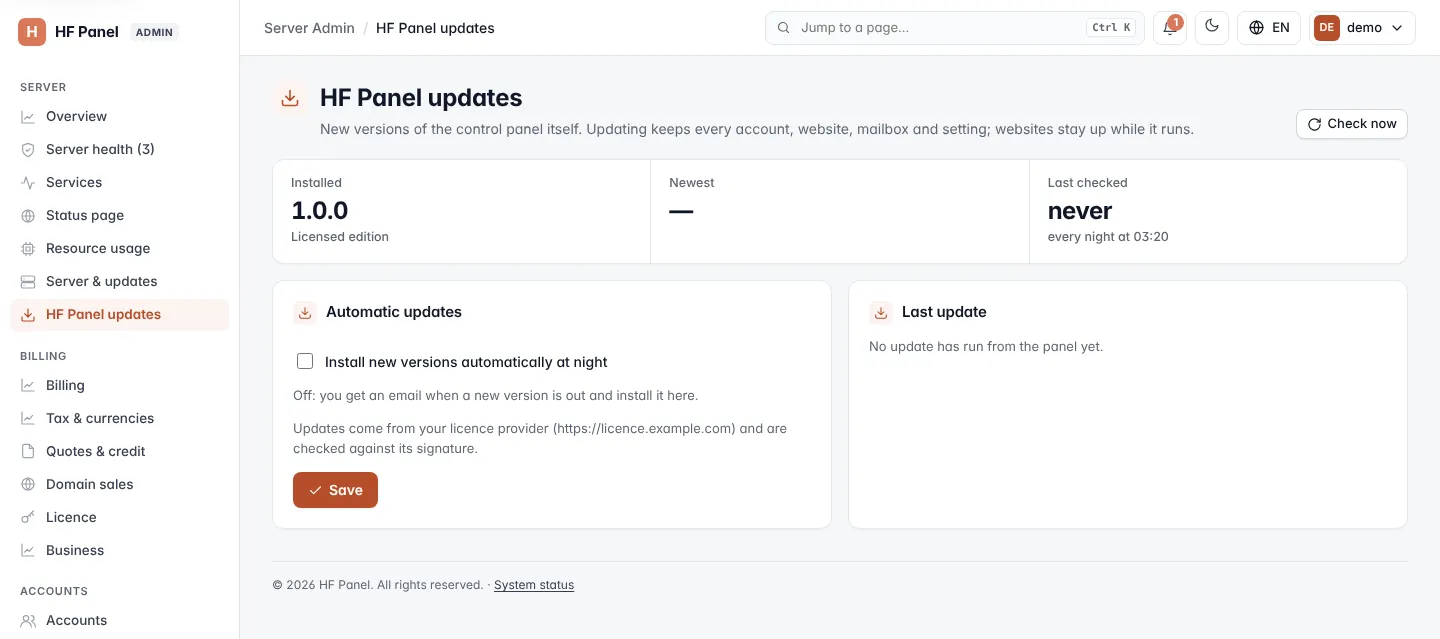
Note: if you use white label, the page heading carries your brand name instead of HF Panel.
Versions
| Figure | What it shows |
|---|---|
| Installed | The version running now, and the edition: Licensed edition or Official edition. |
| Newest | The newest release and its release date. |
| Last checked | When the panel last looked for a new release. It checks every night at 03:20. |
Click Check now at the top to look for a new release straight away.
Update now
When a newer release exists, a card shows What's new in … with the release notes.
- Read the notes.
- Click Update now and confirm. The panel restarts for a moment; websites stay up.
- A window follows the update. While it runs, the page says An update is running — this page refreshes by itself. and reloads every 5 seconds.
When you already run the newest release, the page says You have the newest version.
Automatic updates
- In Automatic updates, tick Install new versions automatically at night.
- Click Save.
With automatic updates off, you get an email when a new version is out, and you install it here.
Updates are verified before anything changes:
- On the licensed edition, updates come from your licence provider and are checked against its signature.
- On the official edition, updates come from the update server and are checked against their checksum.
Last update
The Last update card shows the versions of the last update started from the panel (from → to), when it started (UTC), and the last 40 lines of its log. If no update has run from the panel yet, it says so.
If the last check for a new release failed, a notice at the top shows the reason.