 HF Panel
PHP extensions
Switch on the extra PHP extensions your host offers, for your account only and per PHP version.
The PHP extensions screen switches on extra PHP extensions for your websites. They are loaded for your account only, per PHP version.
Where: Control Panel › Software › PHP extensions
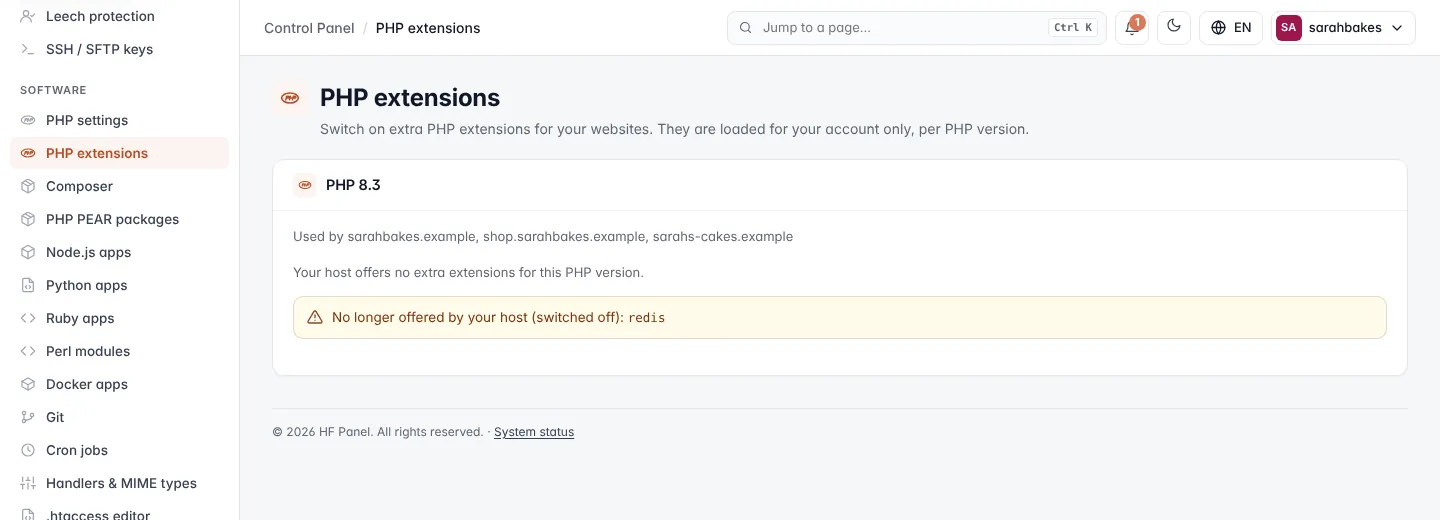
There is one card for each PHP version your account uses, newest first. Each card says which websites use that version, or that it is your default version (new websites start with it).
Switch extensions on or off
- On the card for the PHP version, tick the extensions you want and untick the ones you don't.
- Click Save.
Your websites on that PHP version use the new set from then on. HF Panel checks that PHP can load the extensions before it applies them, and reloads PHP gracefully.
Note: only extensions your hosting provider offers are listed. If a card says Your host offers no extra extensions for this PHP version, ask your provider.
If your provider stops offering an extension you had on, the card shows it under No longer offered by your host (switched off).