 HF Panel
Licence
See your HF Panel licence's status, plan, features and account limit, change the plan, and enter or check the licence key.
Licence shows the state of this server's HF Panel licence and lets you enter or change the licence key. The server confirms its licence with the licence server every 6 hours. This screen exists only on the licensed edition; the official edition has none.
Where: Server Admin › Billing › Licence (licensed edition only)
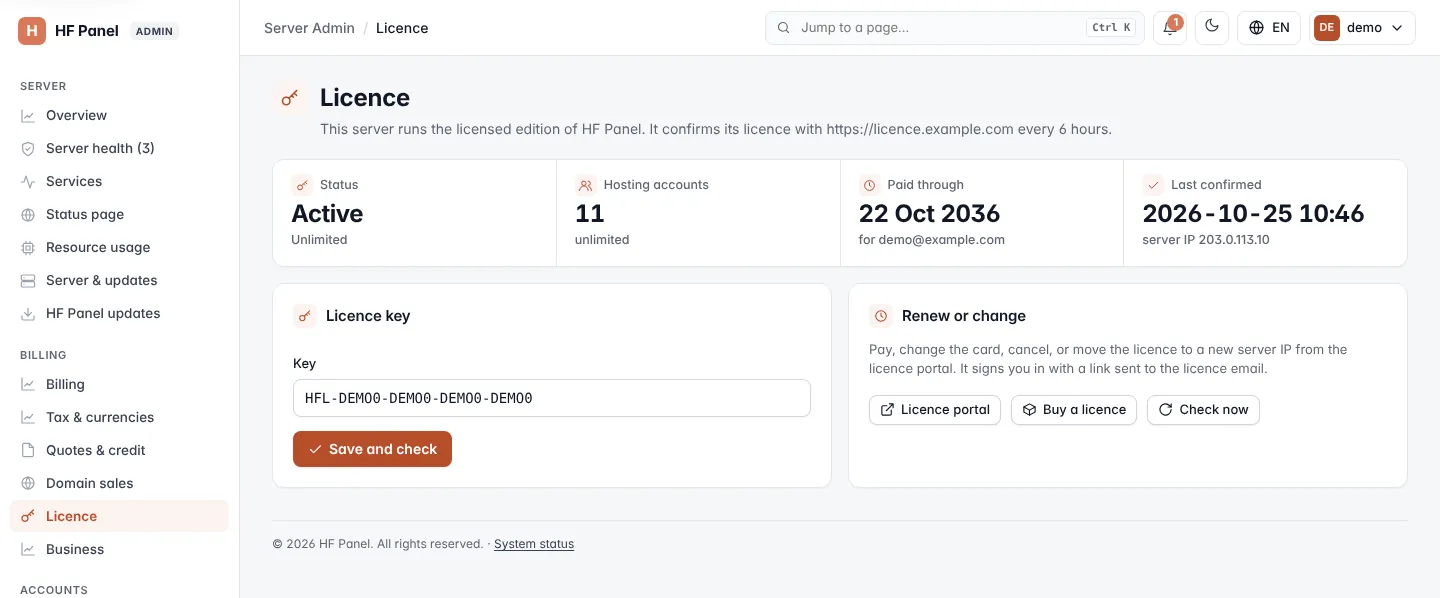
Licence status
| Figure | What it shows |
|---|---|
| Status | The licence's state, for example active or on trial, with the plan underneath. Not confirmed means the licence server has never confirmed it. |
| Hosting accounts | Accounts in use out of the number your licence allows, or unlimited. When you are one account from the limit, an Upgrade the licence link appears. |
| Paid through / Trial ends | When the paid period or the trial ends, and who the licence is for. |
| Last confirmed | When the licence server last confirmed the licence, and the server IP it is licensed to. |
If the last check failed, a notice shows the reason. A notice also explains a licence that is past due, in its grace period or on trial.
Your plan
The Your plan card shows the licence's plan (or Custom bundle for one you built yourself), how many hosting accounts it allows, and its features as chips: green for the features in your plan, grey for the ones that are not. A licence from before plans shows All features.
Click Change plan to open the licence manage page for this server's key in a new tab. There you add or remove features, or choose another plan or account tier; the new monthly price and the difference are shown before you confirm. Upgrades take effect at once, downgrades at the end of the paid period.
The server follows the plan by itself: it installs what was added and hides what was removed at the next licence check, or straight away when you click Check now. Data is never deleted.
Not in your plan
Screens of a feature your plan doesn't include are hidden from the menu. If one is opened anyway (from a bookmark, for example), a Not in your plan page explains what the feature does. Administrators get an Upgrade the plan button that opens the licence manage page; other users are asked to contact the administrator.
Enter or change the licence key
- In Licence key, type the Key in the form
HFL-XXXXX-XXXXX-XXXXX-XXXXX. - Click Save and check.
The key is saved and checked with the licence server straight away. The answer appears at the top of the page.
Renew or change the licence
The Renew or change card links to the licence portal, where you pay, change the card, cancel, or move the licence to a new server IP. The portal signs you in with a link sent to the licence email.
| Button | What it does |
|---|---|
| Licence portal | Opens the licence portal in a new tab. |
| Buy a licence | Opens the licence shop. |
| Check now | Asks the licence server for the licence's state now, and picks up a plan change. |
When the panel is locked
If the licence is no longer valid, the page shows The control panel is locked. Websites, email, databases and DNS keep running; customers and resellers cannot use the panel until the licence is valid again. Administrators can still open this screen to fix it.
Tip: after moving to a new server, move the licence to the new IP in the licence portal, then click Check now here.