 HF Panel
Perl modules
Install CPAN modules into your own ~/perl5 folder as your account, and point your scripts at them.
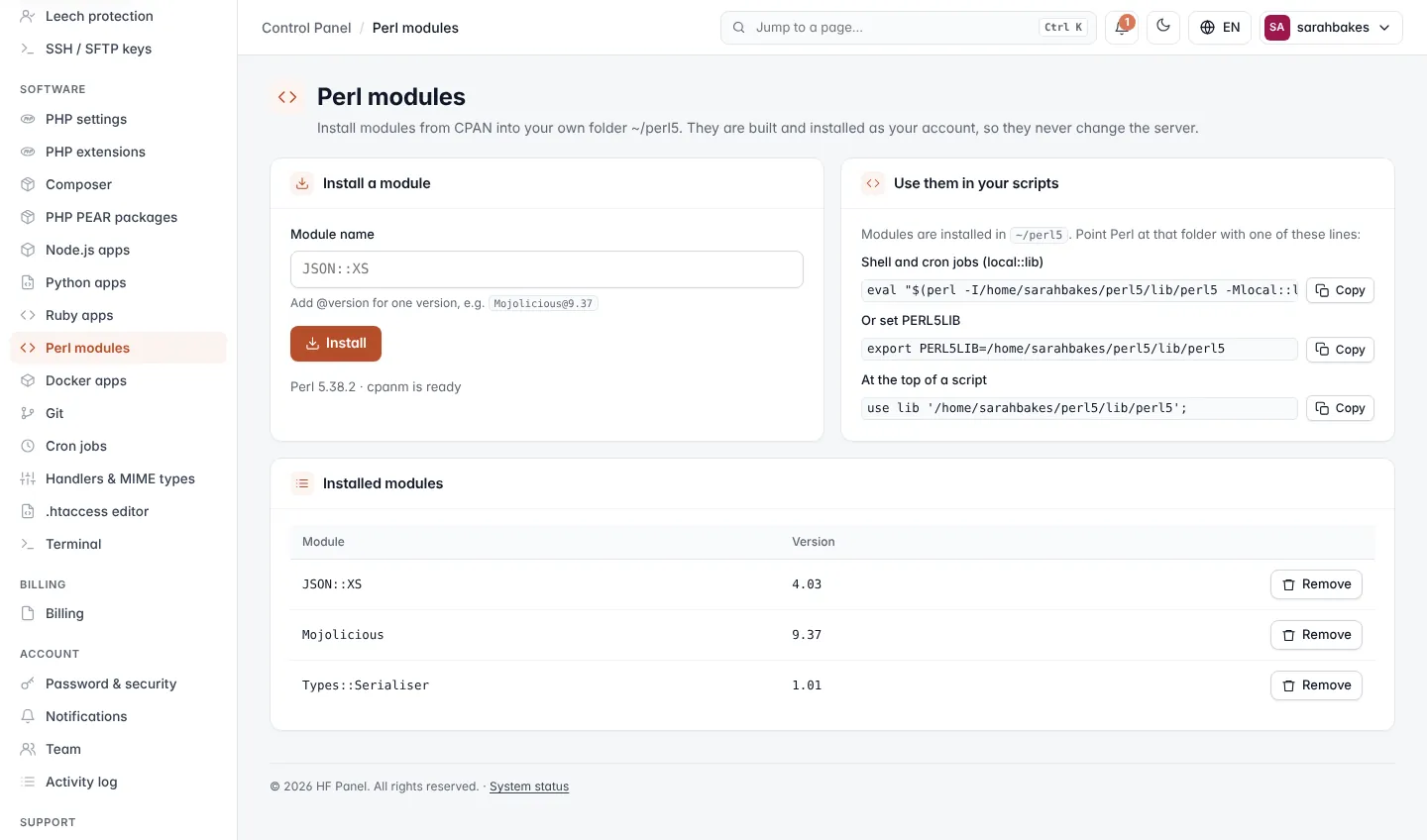
The Perl modules screen installs modules from CPAN into your own folder, ~/perl5. They are built and installed
as your account, so they never change the server.
Where: Control Panel › Software › Perl modules
Install a module
- Under Install a module, type the Module name, for example
JSON::XS. Add@versionfor one version, for exampleMojolicious@9.37. - Click Install.
A window shows the progress. The card shows the server's Perl version, and whether cpanm is ready or cpanm is installed with the first module.
Installed modules
Installed modules lists each Module and its Version. Click Remove and confirm to remove one.
Use them in your scripts
Point Perl at ~/perl5 with one of the lines on the Use them in your scripts card:
| Where | Line |
|---|---|
| Shell and cron jobs (local::lib) | eval "$(perl -I/home/sarahbakes/perl5/lib/perl5 -Mlocal::lib=/home/sarahbakes/perl5)" |
| Or set PERL5LIB | export PERL5LIB=/home/sarahbakes/perl5/lib/perl5 |
| At the top of a script | use lib '/home/sarahbakes/perl5/lib/perl5'; |