 HF Panel
AI helper
Connect the AI helper to your own AI service, choose the model, set a daily limit per account and show it to customers.
Customers can get an AI helper in their Control Panel. It checks their website and logs, explains problems in plain English and gives steps to fix them. You bring the API key, and questions are charged to your own AI account. On this screen you connect the service, choose the model, limit how much each account can ask, and switch the helper on for customers.
Where: Server Admin › System › AI helper
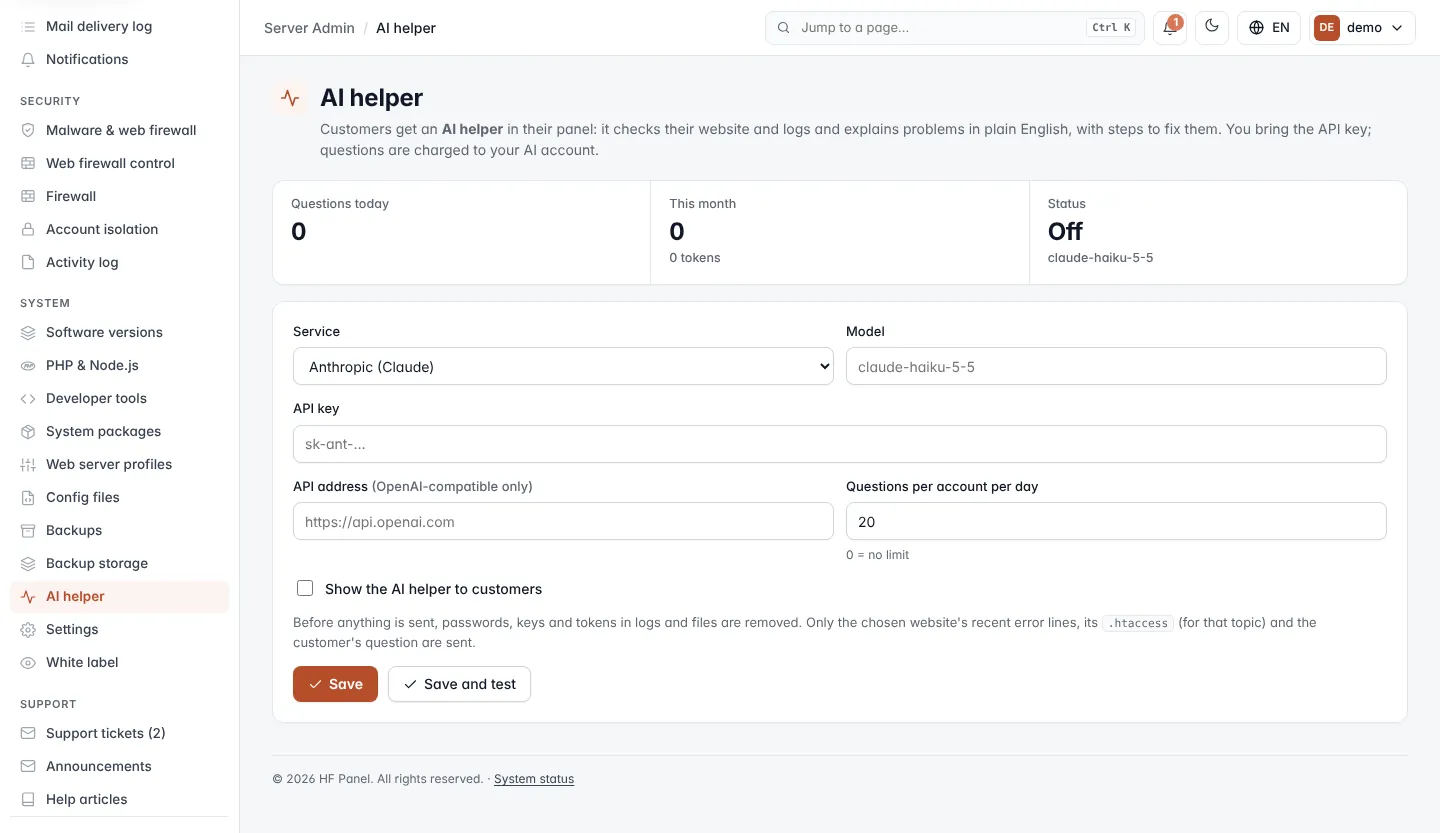
Read the figures
| Figure | What it shows |
|---|---|
| Questions today | Questions asked by all customers since midnight (UTC). |
| This month | Questions asked this month, and the tokens they used. |
| Status | On when the helper is switched on and an API key is saved, otherwise Off. Below it, the model in use. |
Set up the AI helper
- Choose the Service and fill in the fields below.
- Tick Show the AI helper to customers.
- Click Save and test. The settings are saved and a short question is sent to the service; its answer is shown in the message. Click Save to save without testing.
| Field | What it does |
|---|---|
| Service | Anthropic (Claude), or OpenAI or compatible for OpenAI and services with the same API. |
| Model | The model name. Suggestions appear as you type. Leave it empty to use the service's default, shown as the placeholder. |
| API key | Your key for the service. An Anthropic key starts with sk-ant-. When a key is saved the box shows Saved — leave empty to keep it; the key itself is never shown again. |
| API address (OpenAI-compatible only) | The service's address, starting with https://. Leave empty for https://api.openai.com. |
| Questions per account per day | 0–1000. 0 = no limit. The default is 20. |
| Show the AI helper to customers | Adds AI helper to the customers' Support menu. Needs a saved API key. |
Important: the helper uses your API key, so every question is charged to your AI account. Set a daily limit that fits your budget.
What is sent to the AI service
Before anything is sent, passwords, keys and tokens in logs and files are removed. Only the chosen website's recent
error lines, its .htaccess file (when the question is about it) and the customer's question are sent.