 HF Panel
Services
See every service the server runs and whether it is up, and restart one that misbehaves.
Services lists everything the server runs — the web servers, PHP, databases, mail, DNS, FTP and more — with a green or red dot for its state. When a service misbehaves, restart it from here.
Where: Server Admin › Server › Services
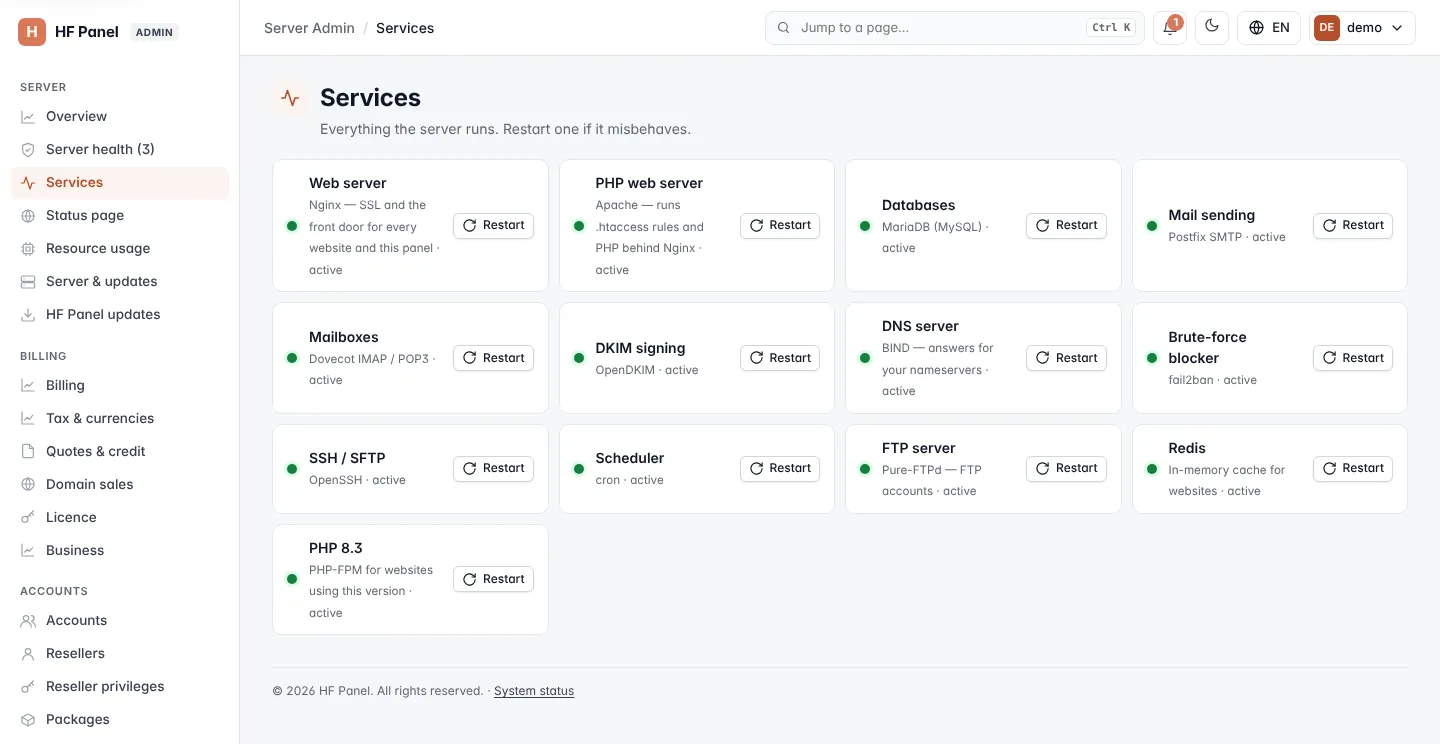
Read the list
Each tile shows the service's friendly name, what it does and its current state, such as active, inactive or
failed. A green dot means the service is running (active); a red dot means it is not.
| Name | Service |
|---|---|
| Web server | Nginx — SSL and the front door for every website and the panel |
| PHP web server | Apache — runs .htaccess rules and PHP behind Nginx |
| PHP 8.3 (and other versions) | PHP-FPM for websites using that PHP version |
| Databases | MariaDB (MySQL) |
| MongoDB databases | FerretDB — MongoDB-compatible, data stored in PostgreSQL |
| Mail sending | Postfix SMTP |
| Mailboxes | Dovecot IMAP / POP3 |
| DKIM signing | OpenDKIM |
| Spam scanner | SpamAssassin, which scores every incoming message |
| Spam filter link | Connects SpamAssassin to Postfix |
| DNS server | BIND — answers for your nameservers |
| FTP server | Pure-FTPd, for FTP accounts |
| Brute-force blocker | fail2ban |
| SSH / SFTP | OpenSSH |
| Scheduler | cron |
| Redis | In-memory cache for websites |
| Docker | Containers for Docker apps |
Only the services installed on your server are listed.
Restart a service
- Find the service and click Restart.
- Confirm the question Restart …?.
- A window follows the restart as it happens.
When the service is running again you see … restarted and running. If it is not running afterwards, the panel tells you its state and suggests checking the server logs.
Warning: restarting the web server, PHP or the database briefly interrupts every website using it. Restarting mail services may delay delivery for a few seconds.
Note: every restart is written to the Activity log.