 HF Panel
Ruby apps
Run a Rails, Sinatra, Hanami or any Rack app on one of your domains, served by Puma with automatic restart.
The Ruby apps screen runs a Rails, Sinatra, Hanami or any Rack app on one of your domains. The app is served by Puma as your account's own service on a local port, and the domain forwards every visit to it. It starts automatically and restarts if it crashes.
Where: Control Panel › Software › Ruby apps
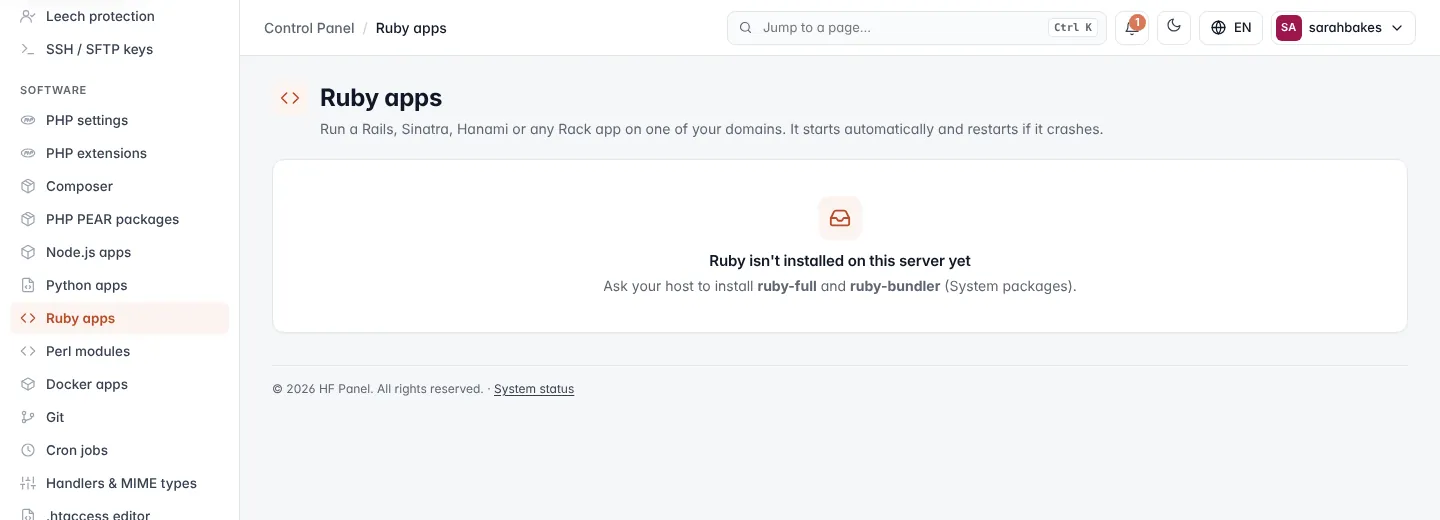
Note: if the screen says Ruby isn't installed on this server yet, ask your hosting provider to install
ruby-fullandruby-bundler. You also need at least one domain.
Create a Ruby app
- Under New Ruby app, enter the App name, for example
blog. - Choose the Domain. All visits to this domain go to the app.
- Enter the App folder in your home, for example
apps/blog, for your code andGemfile(a minimal one is created if missing). - Enter the Rackup file. Rails and Sinatra apps have a
config.ru, the default. - Set the number of Workers (0 = a single process).
- Add Environment variables if your app needs them.
- Click Create app.
- Put your code in the app folder, then choose Set up / bundle install from the app's menu.
Set up / bundle install installs the gems in your Gemfile and (re)starts the app.
| Field | Rules |
|---|---|
| App name | lowercase letters, numbers, - and _, up to 30 characters; cannot be changed later |
| Domain | a main domain, not a parked domain. A domain can run only one app (Ruby, Python or Node.js). |
| App folder | a folder inside your home |
| Rackup file | a path ending in .ru |
| Workers | 0–8 (default 2) |
| Environment variables | one NAME=value per line, upper-case names; no quotes or backslashes in values (up to 500 characters); up to 30 variables |
Note:
PORTandHOSTare set for you;RACK_ENVandRAILS_ENVareproduction; Puma serves the app onPORT.BUNDLE_PATHandPATHare set for you too.
Manage apps
The apps table shows each app's workers, Domain, Folder · rackup and Status (Running, Starting or stopped).
| Button | What it does |
|---|---|
| Restart / Stop / Start | controls the app's service |
| Set up / bundle install | installs the gems again and (re)starts the app |
| Settings | opens the app's settings; click Save & restart to apply changes |
| Log file | opens the logs folder in the File Manager |
| Remove app | removes the app after you confirm |
If the app does not come up, the message points to its log, ~/logs/ruby-<app name>.log. Removing an app keeps its
files; the domain serves its website folder again.