 HF Panel
Databases
Create, back up, import, browse and delete MySQL databases in HF Server, add database users, change the root password and use PostgreSQL Manager.
The Databases page manages the MySQL (MariaDB) databases on your computer. MySQL must be running.
Where: HF Server › Databases
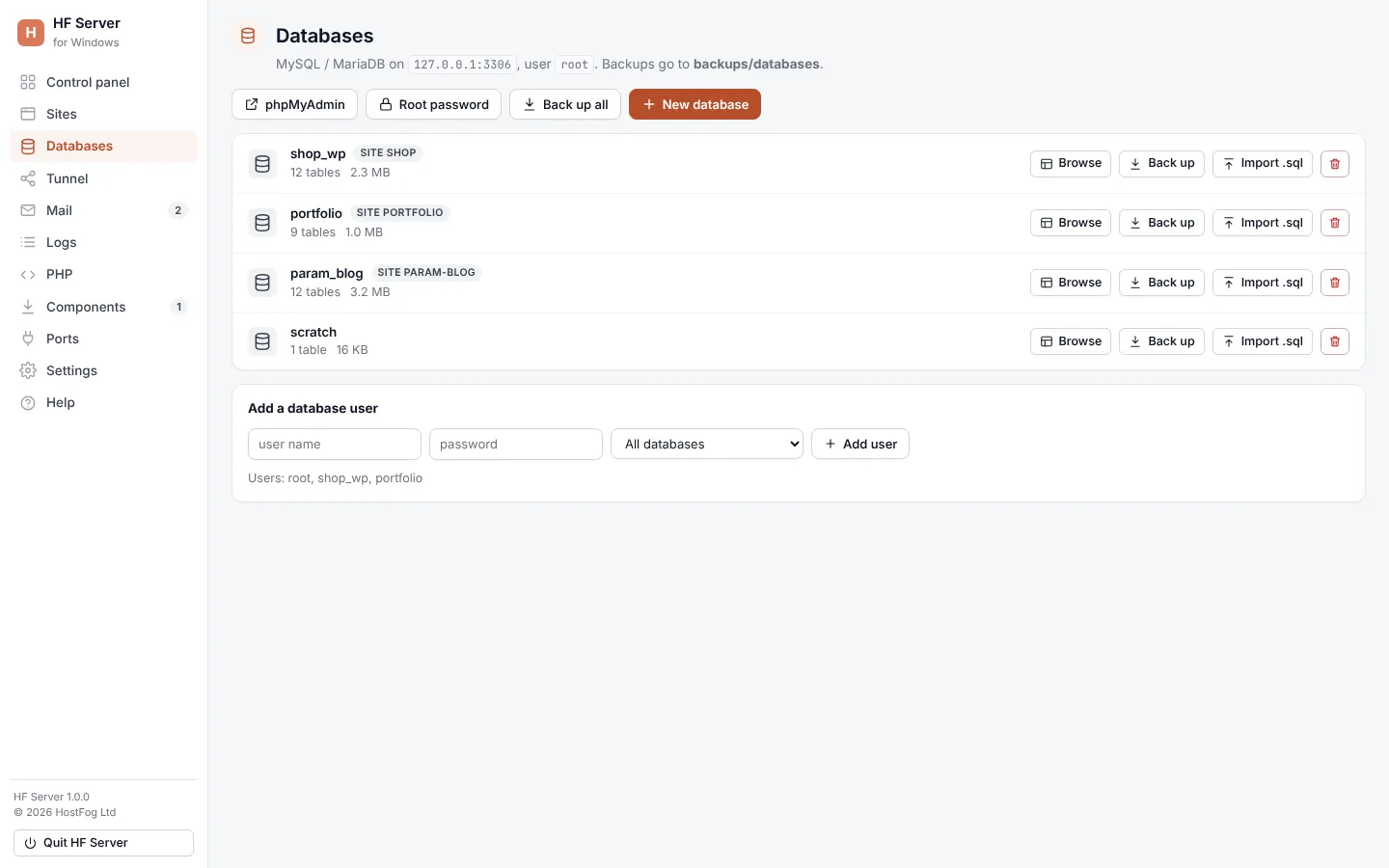
The page shows where MySQL listens (127.0.0.1:3306 by default, user root) and that backups go to
backups/databases.
Create a database
- Click New database.
- Type a name (letters, numbers and
_) and confirm.
Each database in the list shows its number of tables and its size. A database made with a WordPress site shows site and the site's name.
Database buttons
| Button | What it does |
|---|---|
| Browse | opens HF Studio for this database (see below) |
| Back up | saves a backup in backups/databases (Saved file.sql) |
| Import .sql | runs a .sql file into the database |
| delete button | deletes the database: type its name to confirm. A backup is saved first |
Back up all at the top backs up every database. phpMyAdmin opens phpMyAdmin in your browser.
Browse with HF Studio
Browse opens HF Studio under the list, with two tabs:
- Browse: pick a table on the left to see its rows, page by page. Click a column heading to sort.
- SQL: type a statement (for example
SELECT * FROM wp_posts LIMIT 20;) and run it (Ctrl+Enter). The result shows the rows and how long it took.
Add a database user
Under Add a database user, type the user name and password, choose one database or All databases, and click Add user. The existing users are listed under the form.
Root password
A new MySQL install gets the root password password. To see or change it, click Root password. A new password
must be at least 8 characters. HF Server saves it in its settings, uses it to stop MySQL cleanly, and phpMyAdmin then
asks for it.
Important: sites can't be shared while MySQL's root user has no password.
If you changed the root password outside HF Server, enter it in Settings (MySQL root password).
Daily backups
While MySQL runs, every database is backed up once a day into backups/databases/daily. Backups are kept for 7 days.
Change this, or turn it off, in Settings.
PostgreSQL
When PostgreSQL is installed and running, click Manager on its card on the Control panel
to open PostgreSQL Manager: databases, tables and rows (browse, search, edit), structure, SQL, import, export, and
users and roles. PostgreSQL listens on port 5432; the user is postgres, and its password is in
config/postgres-password.txt.
Redis
Redis listens on port 6379, on this computer only. Click Shell on its card for a command prompt.