 HF Panel
Databases
See every MySQL, PostgreSQL and MongoDB database of your customers, and make a quick MySQL database for one of them.
The Databases screen lists every database of your customers' accounts — MySQL, PostgreSQL and MongoDB. To manage users, privileges and imports, open the customer's Control Panel with Log in as. It works like the administrator's Databases screen.
Where: Reseller Panel › Hosting › Databases
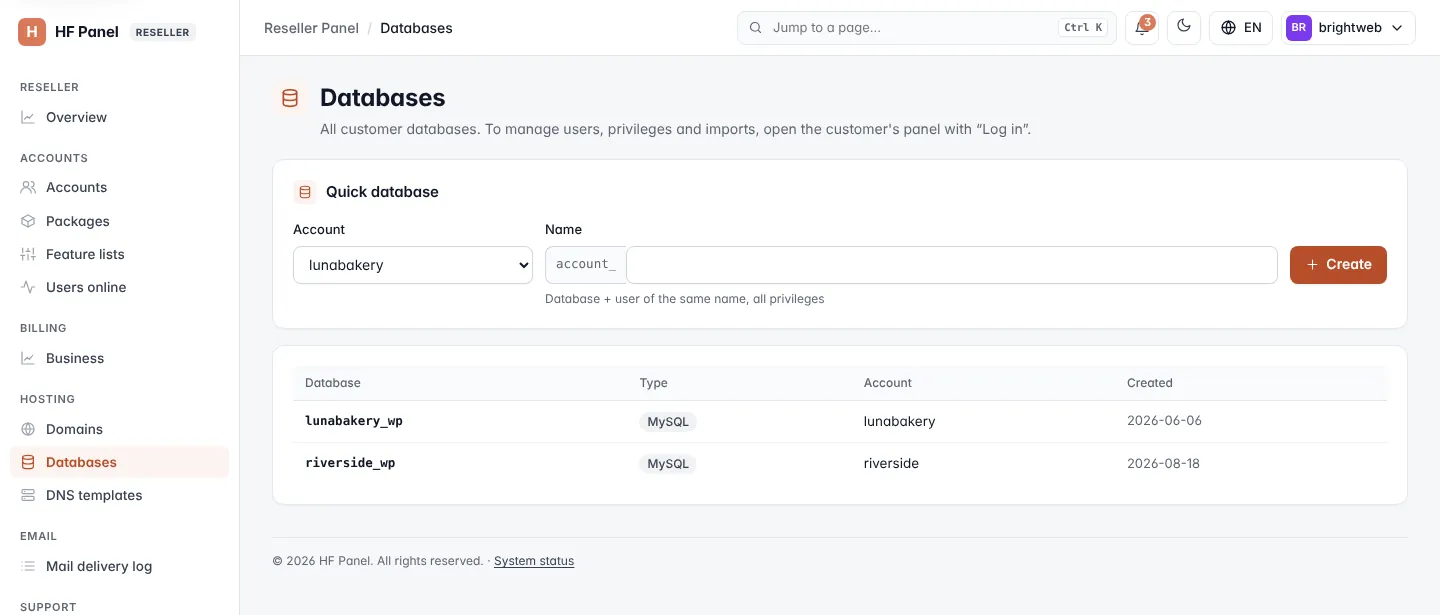
Make a quick database
- Under Quick database, choose the Account.
- Enter the Name after the account's prefix (1–15 lowercase letters, numbers or
_). - Click Create.
You get a MySQL database and a user of the same name with all privileges. The password is shown once. The database counts towards the customer's package.
The list
The table shows each Database, its Type (MySQL, PostgreSQL or MongoDB), the Account it belongs to and when it was Created.
Related
- MySQL databases (the customer's screen)
- Log in as