 HF Panel
Leech protection
Block a login of a password-protected folder when it is used from too many addresses — a shared password.
Leech protection watches the logins of your password-protected folders. When one login is used from too many different addresses within an hour — a password that has been shared or posted online — it is blocked for a while.
Where: Control Panel › Security › Leech protection
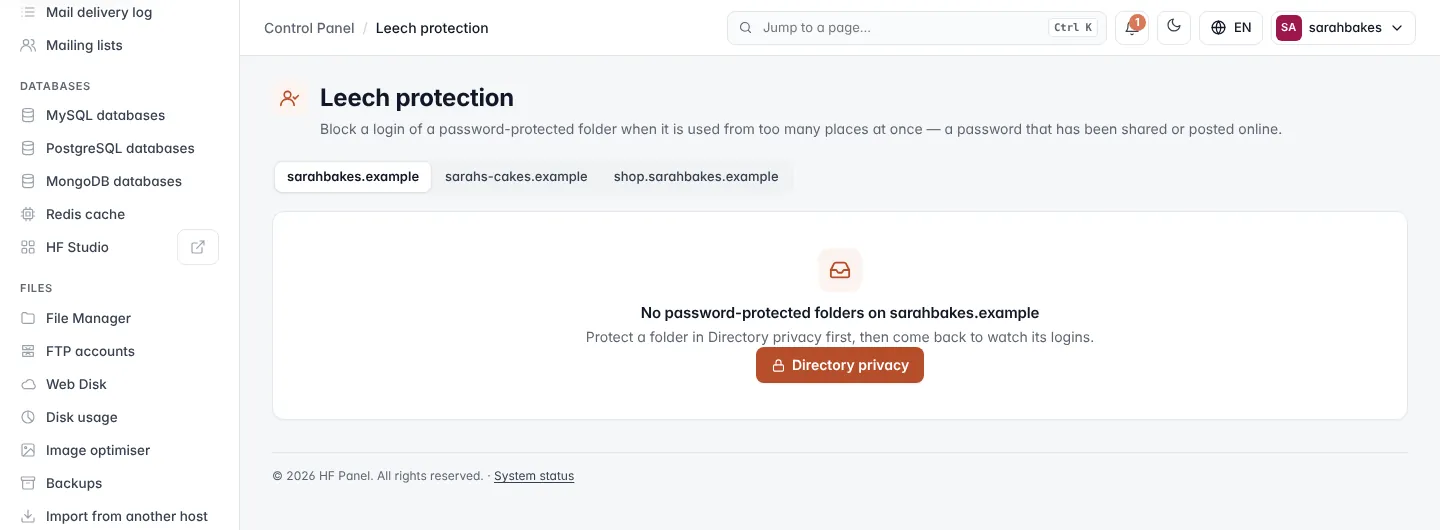
Note: leech protection works on folders protected with Directory privacy. If a website has none, the screen links you there.
Watch a folder's logins
- Pick the website at the top. Each protected folder has its own card, showing Watching or Off and its Logins.
- Tick Watch the logins of this folder.
- Set Block a login used from more than … addresses in an hour.
- Set Block it for … minutes.
- Optionally enter Send a blocked login to (optional) — an address to send a blocked visitor to. Empty = "403 Forbidden".
- Tick Email me when a login is blocked to get an email for each block.
- Click Save.
| Field | Allowed range |
|---|---|
| Block a login used from more than | 2–100 addresses in an hour |
| Block it for | 5–10,080 minutes (up to 7 days) |
HF Panel checks the website's access log every 5 minutes.
Note: on a website that runs on Nginx only, a blocked login is taken out of the folder until the block ends, so it is asked for its password again. The redirect address is not used.
Unblock a login
A running block shows on the folder's card: the login, how many addresses it was used from, and how many minutes are left. Click Unblock to let the login sign in again at once.
Switching the protection off for a folder also ends its running blocks.
Recent blocks
Recent blocks lists the last 20 blocks on the website: When (UTC), Folder, Login, Addresses and Status (Blocked or Over).