 HF Panel
PHP PEAR packages
Install PHP packages from pear.php.net into your own ~/pear folder, where your websites find them by themselves.
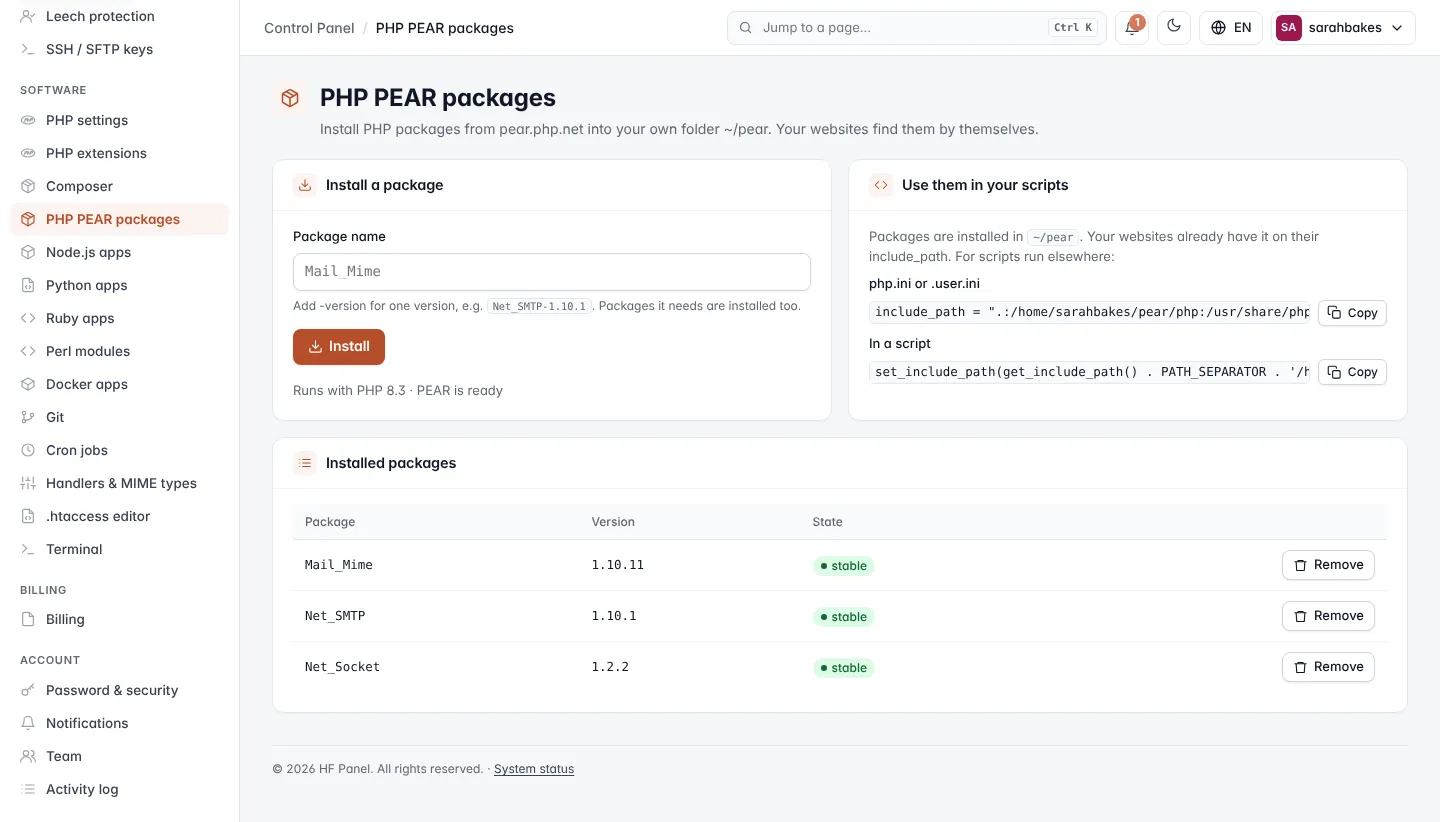
The PHP PEAR packages screen installs PHP packages from pear.php.net into your own folder, ~/pear. Your
websites find them by themselves.
Where: Control Panel › Software › PHP PEAR packages
Install a package
- Under Install a package, type the Package name, for example
Mail_Mime. Add-versionfor one version, for exampleNet_SMTP-1.10.1. - Click Install.
A window shows the progress. Packages it needs are installed too. The card says which PHP version PEAR runs with, and whether PEAR is ready or PEAR is installed with the first package.
Installed packages
Installed packages lists each Package, its Version and State (for example stable). Click Remove
and confirm to remove one.
Use them in your scripts
Your websites already have ~/pear on their PHP include path. For scripts run elsewhere (cron, the shell), the
Use them in your scripts card gives the lines to use:
- in
php.inior.user.ini:include_path = ".:/home/sarahbakes/pear/php:/usr/share/php" - in a script:
set_include_path(get_include_path() . PATH_SEPARATOR . '/home/sarahbakes/pear/php');