 HF Panel
Sharing a site
Give a site on your computer a free public https:// link with HF Tunnel from the HF Server desktop app, and stop sharing it.
HF Server can give any local site a public https:// link through HF Tunnel, to show a client, test on your phone
or receive webhooks. It is free, needs no account and no router settings.
Where: HF Server › Tunnel, or Share on a site on the Sites page
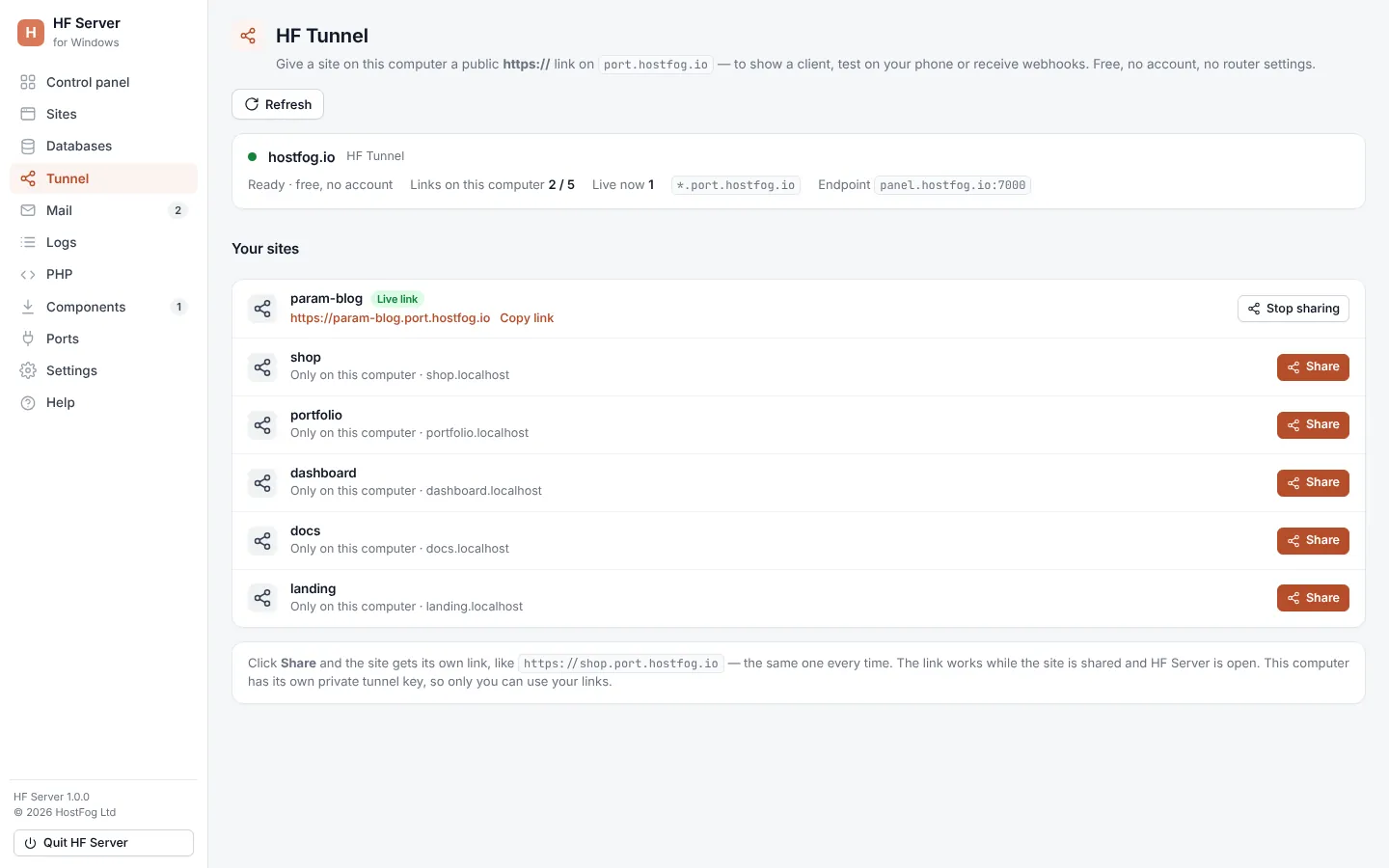
Share a site
- Make sure Apache is running and MySQL's root user has a password.
- Click Share next to the site (on the Tunnel or Sites page).
- In the Share dialog, check the Link: the first part of the address, made from the site's name. You can
change it: lowercase letters, numbers and
-, up to 32 characters. - Click Share.
HF Server connects to HF Tunnel (Connecting to HF Tunnel… (a few seconds)). When the link works, the site shows
Live link and its address, like https://shop.port.hostfog.io, with Copy link.
The link is the same every time you share the site with the same name. Anyone with the link can open the site while it is shared.
Stop sharing
Click Stop sharing next to the site. The link also stops when you close HF Server.
The Tunnel page
The Tunnel page shows the HF Tunnel service and every site:
| Item | What it shows |
|---|---|
| Ready · free, no account | free links are available |
| Links on this computer | how many links this computer has, and how many it may have |
| Live now | how many links are connected right now |
| Endpoint | the tunnel server's address and port, when set by its administrator |
| Your sites | each site with Live link and its address, or Only on this computer |
Click Refresh to check again. If the service can't be reached, check your internet connection. If free links are switched off, try again later.
Good to know
- This computer has its own private tunnel key, so only you can use your links.
- The Share dialog says whether the link name is already yours (You already have this link) or will be made new, and how many of your links are used.
- A link that is unused for a long time is removed by the tunnel service; sharing again makes it again.
- Visitors through a link can't reach phpMyAdmin,
phpinfo()or your list of local sites. - Sites can't be shared while MySQL's root user has no password.
For more about the service, and running it on your own server, see HF Tunnel.