 HF Panel
PHP & Node.js
Install PHP versions, switch PHP extensions on or off for every website, and install or update Node.js versions.
The PHP & Node.js screen controls which PHP and Node.js versions the server offers. Several PHP versions run side by side, and customers choose the version for each website. Here you install new versions, switch extensions on or off, and install or update the Node.js versions customers use for their Node.js apps.
Where: Server Admin › System › PHP & Node.js
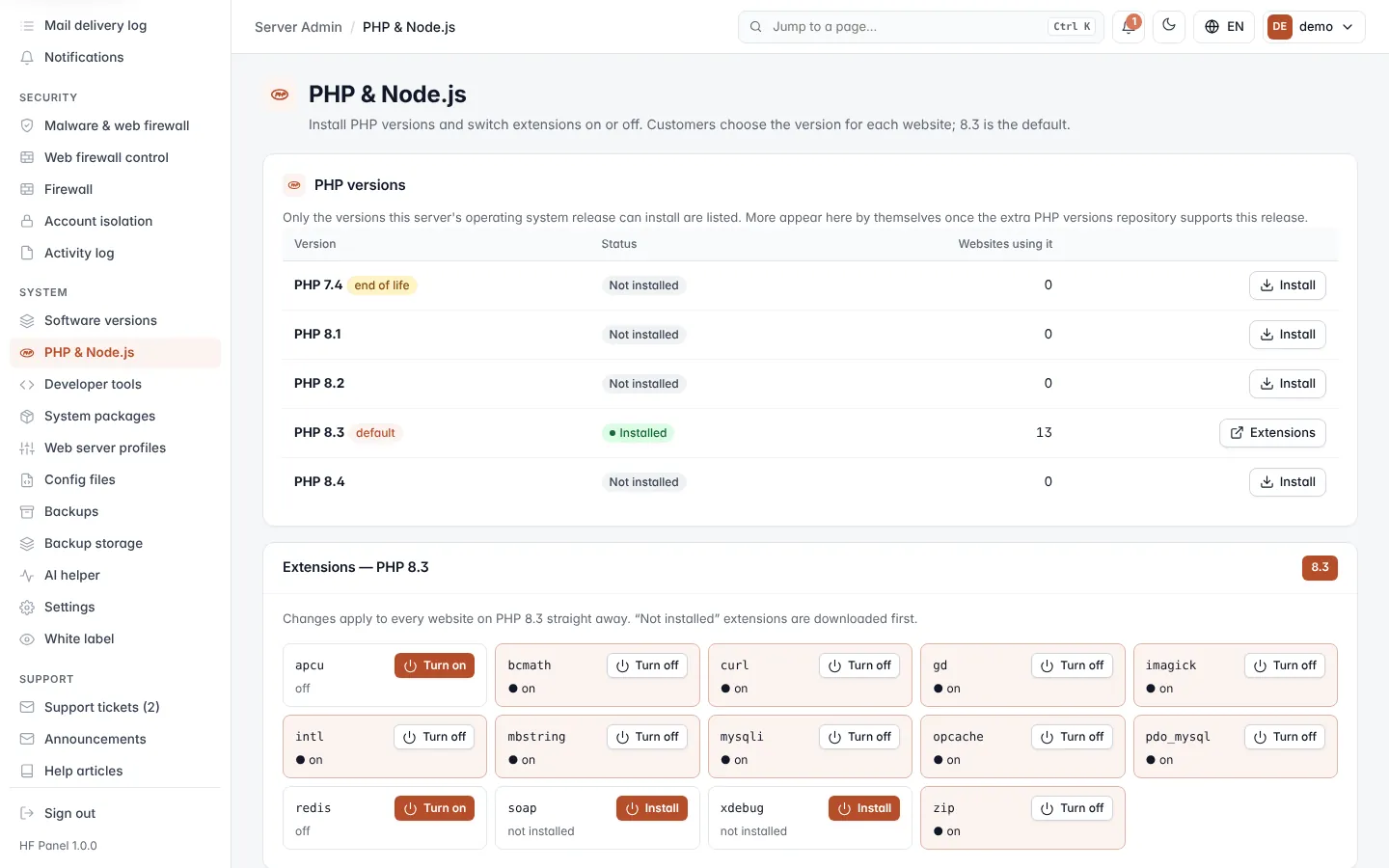
The heading line names the server's default PHP version, used for websites that have not chosen one.
PHP versions
The PHP versions table lists PHP 7.4 to 8.5, oldest first, as far as your server's operating system release can install them, plus any version already installed.
| Column | What it shows |
|---|---|
| Version | The PHP version, with default for the server's default and end of life (amber) for versions older than 8.1. |
| Status | Installed when its PHP-FPM service runs, its service state when it does not, or Not installed. |
| Websites using it | How many websites run on this version. |
Note: if some versions are missing, the operating system release cannot install them yet. They appear by themselves once the extra PHP versions repository supports the release.
Install a PHP version
- Click Install on the version's row.
- Confirm. The install takes a minute or two, in a progress window.
Customers can choose the new version for their websites as soon as it is installed.
Tip: keep customers off end-of-life versions. They no longer get security fixes.
Switch PHP extensions on or off
Extensions are set per PHP version and apply to every website on that version straight away.
- Click Extensions on an installed version's row, or choose the version with the buttons at the top right of the Extensions card.
- Find the extension. Each tile shows its state: ● on, off or not installed.
- Click Turn on, Turn off or Install.
An extension marked not installed is downloaded first and then switched on. The download opens in a progress window.
Important: turning an extension off affects every website on that PHP version. Check that no website depends on it first.
Node.js versions
The Node.js table lists the Node.js versions on offer, newest first. They are official builds from nodejs.org, checksum verified. Customers run apps under Node.js apps in their Control Panel.
| Column | What it shows |
|---|---|
| Version | The major version, with LTS, current or end of life (amber). |
| Status | Installed full version, or Not installed. |
| Apps using it | How many Node.js apps use this version. |
- To install a version, click Install and confirm.
- To update an installed version to its newest release, click Update and confirm. Running apps keep going on the old release until they are restarted.