 HF Panel
Mail catcher
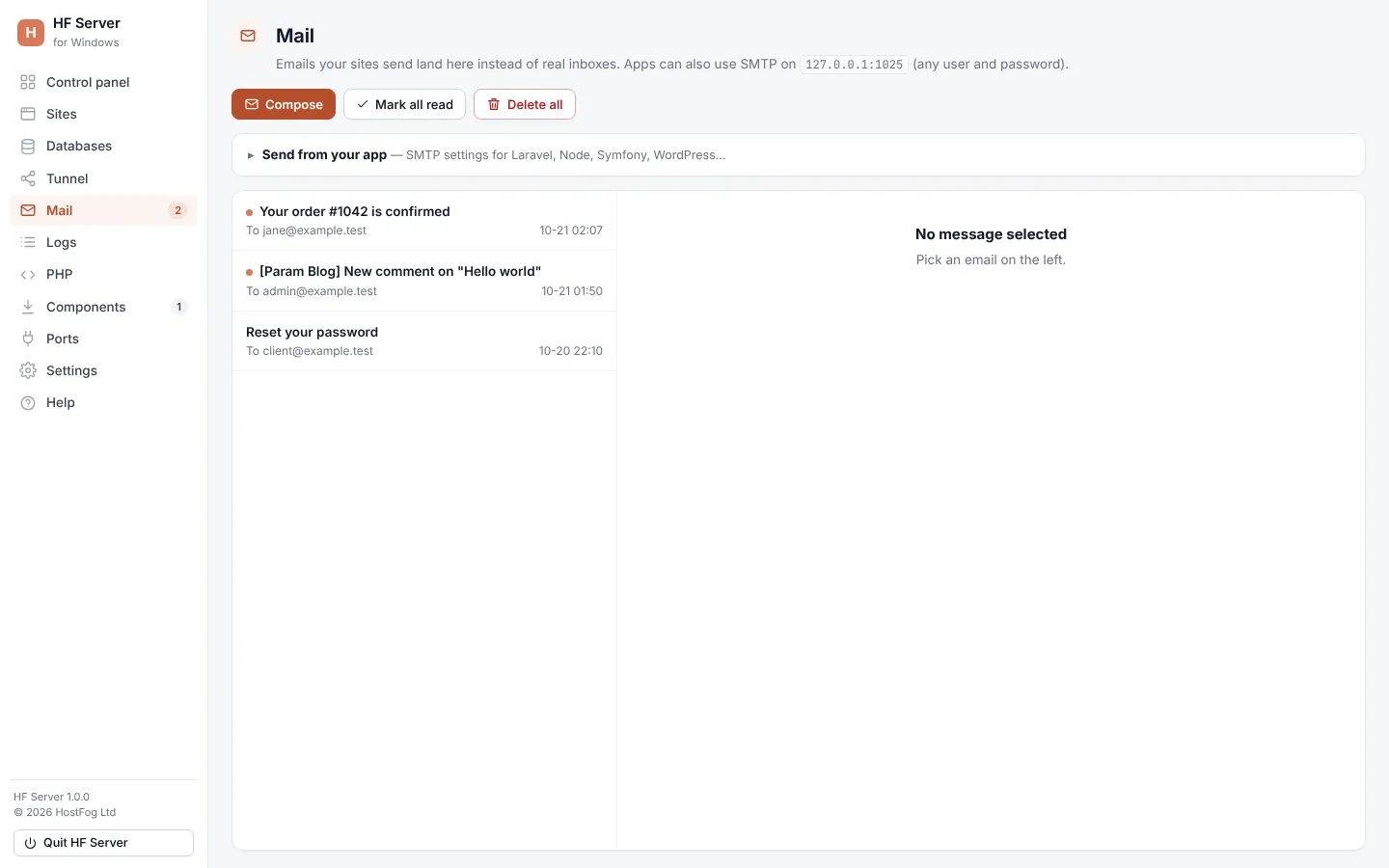
HF Server catches every email your local sites send, so nothing reaches real people. Read them on the Mail page and write test emails.
The mail catcher keeps every email your sites send on your computer, so nothing reaches real inboxes while you work. The Mail page shows them.
Where: HF Server › Mail
How mail is caught
- PHP's
mail()(WordPress and plain PHP) is caught by itself. Nothing to set up. - Apps that send over SMTP (Laravel, Symfony, Node and others) use host
127.0.0.1, port1025, no encryption and any user name and password.
The Send from your app box on the Mail page has ready-made settings to copy for Laravel / any .env, Node and Symfony / DSN.
Read caught mail
New emails are listed on the left, newest first, and also appear in the activity log. Click one to read it.
| Tab | Shows |
|---|---|
| HTML | the HTML version |
| Text | the plain-text version |
| Headers | every header |
| Source | the raw message |
The message shows From, the recipients (including Bcc), and buttons to download each attachment.
| Button | What it does |
|---|---|
| Delete | deletes the open email |
| Mark all read | marks every email read |
| Delete all | deletes every caught email after you confirm |
Write a test email
- Click Compose.
- In Send to, choose Mail catcher (safe test) (it stays on this computer and shows up in the list) or Real inboxes.
- Fill in From, To, Cc and Bcc as needed, and the Subject.
- Write the Message as Text or HTML; Preview shows the HTML.
- Add Attachments if you want.
- Click Send.
To send to real inboxes, set up Outgoing mail in Settings first. A copy of each real email is kept in the list too. Your sites' own email is still caught.
Turn the catcher off or change its port
In Settings, untick Catch all email or change the Mail catcher SMTP port. When the catcher isn't running, the Mail page says so and why.