 HF Panel
The SQL box
Run SQL statements against a MySQL or PostgreSQL database in HF Studio and see each statement's result.
The SQL tab runs one or more SQL statements in the open database and shows the result of each.
Where: HF Studio › a database › SQL
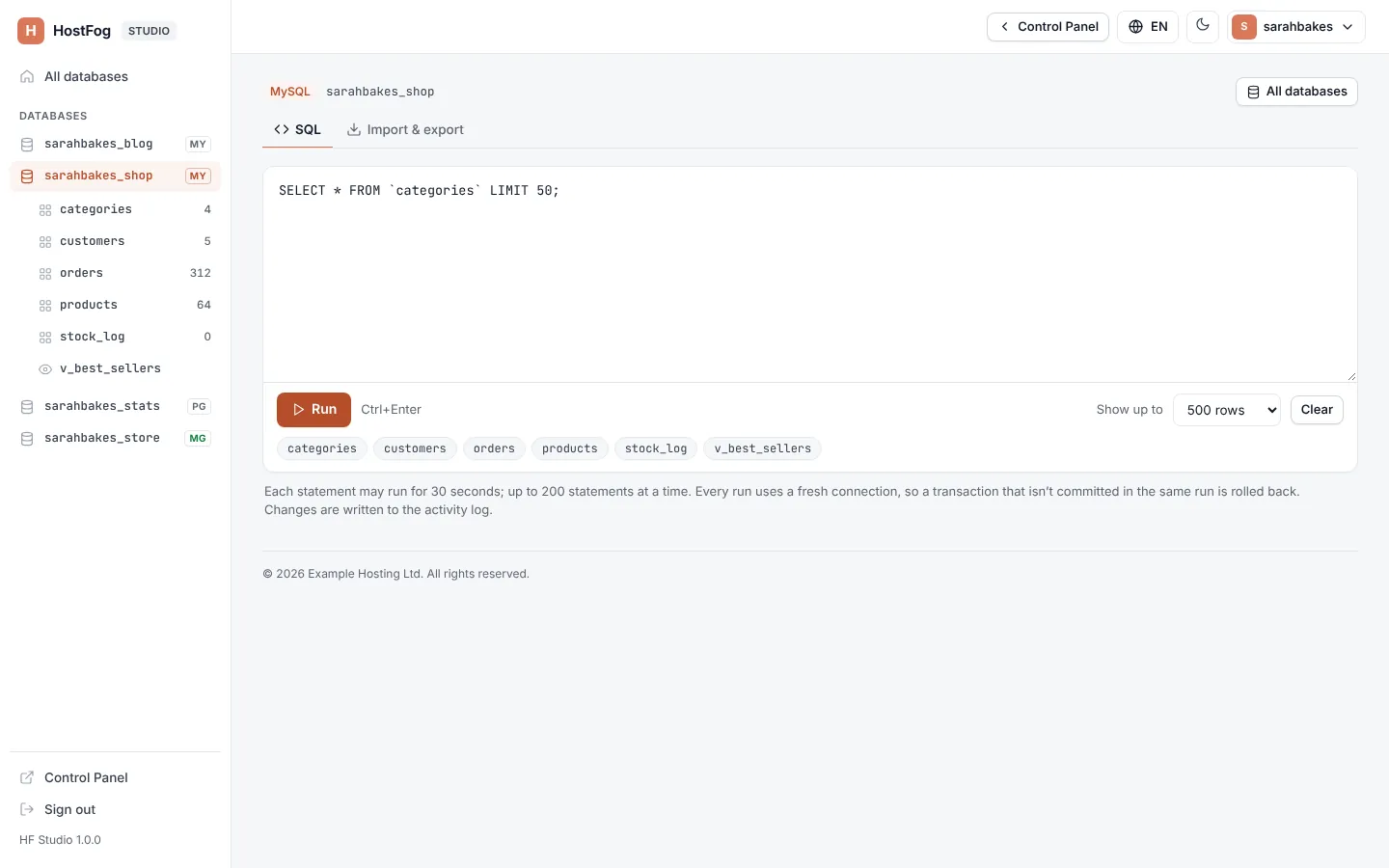
Run SQL
- Type your SQL in the box (Type SQL here. Separate statements with ;). The Tables list beside it helps you find table names.
- Choose how many rows to show in Show up to: 100 rows, 500 rows or 1,000 rows.
- Click Run, or press
Ctrl+Enter.
Clear empties the box.
Results
Each statement gets its own result (Statement 1, Statement 2…):
| Result | Shows |
|---|---|
| rows | a table of rows, and n rows (or n rows shown (there are more) when there are more than the limit) |
| a change | n rows changed |
| nothing | No rows. |
| a mistake | Error, the database's message and the Line it was on |
The total time is shown at the top: 3 statements · 42 ms in all.
Rules
- Each statement may run for 30 seconds; up to 200 statements at a time. The SQL can be up to 1 MB; import a file for more.
- Every run uses a fresh connection, so a transaction that isn't committed in the same run is rolled back.
- The SQL runs as this database's own user: it can't reach any other database.
- Changes are written to the activity log.
Warning: statements such as
DROP,DELETEandUPDATErun at once and can't be undone. Export the table first if you are not sure.