 HF Panel
Terminal
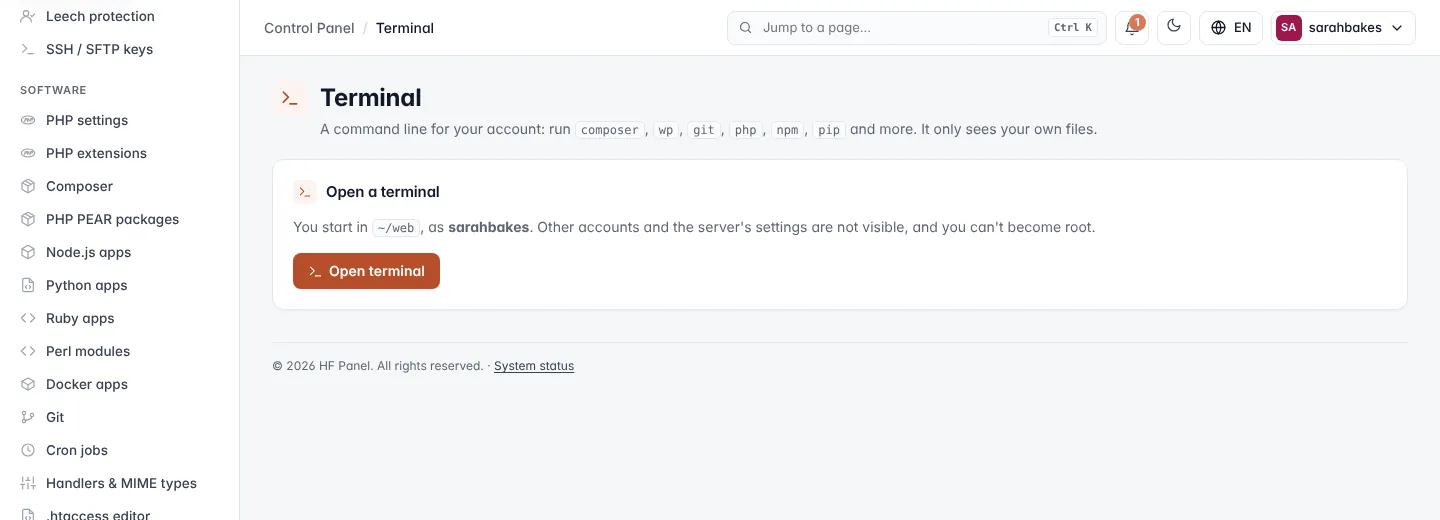
Open a command line for your account in the browser to run composer, wp, git, php, npm and more.
The Terminal screen opens a command line for your account in the browser. Run composer, wp, git, php,
npm, pip and more. It only sees your own files.
Where: Control Panel › Software › Terminal
Note: the menu shows Terminal only when your hosting provider has the web terminal switched on and your hosting plan includes it. If the screen says The web terminal is turned off, you can still use SFTP.
Open a terminal
- Click Open terminal.
The terminal appears on the page. You start in ~/web, as your account's user, in the same locked-down shell your
account gets over SSH. Other accounts and the server's settings are not visible, and you can't become root.
The card under the button shows your provider's limits, for example Up to 2 terminals at once, 120 minutes each. A terminal closes after 15 minutes without a key pressed. When terminals are already open, click Close all to end them.
If your account lives on another server of your provider, the screen says Your terminal is ready; click Open terminal to open it in a new tab.
Use the terminal
| Control | What it does |
|---|---|
| Copy | copies the selected text (or press Ctrl+Shift+C) |
| Paste | types the clipboard's text into the terminal (or press Ctrl+Shift+V; your browser's own paste works too) |
| Look | switches between like the panel, dark and light (remembered in this browser) |
| Close | ends the session |
Ctrl+C stops the running program, as in any terminal. The terminal follows the size of the window.
When the terminal closes
The session ends when you click Close, leave the page or close the tab, and also:
- after the time limit of a session;
- after the idle time without a key pressed — a warning appears a minute before;
- when you sign out or your account is suspended.
Programs you started in the terminal stop with it. Click Open a new terminal to start again.
Tip: for things that must keep running, use cron jobs or apps such as Node.js apps.
Every terminal session is noted in your activity log when it opens and when it closes (with how long and why). What you type is never recorded.