 HF Panel
Domains
See every domain of your customers' accounts and add a domain, subdomain or parked domain for a customer.
The Domains screen lists every domain of your customers' accounts — websites, subdomains and parked domains — and lets you add one for a customer. It works like the administrator's Domains screen; resellers see only their own customers.
Where: Reseller Panel › Hosting › Domains
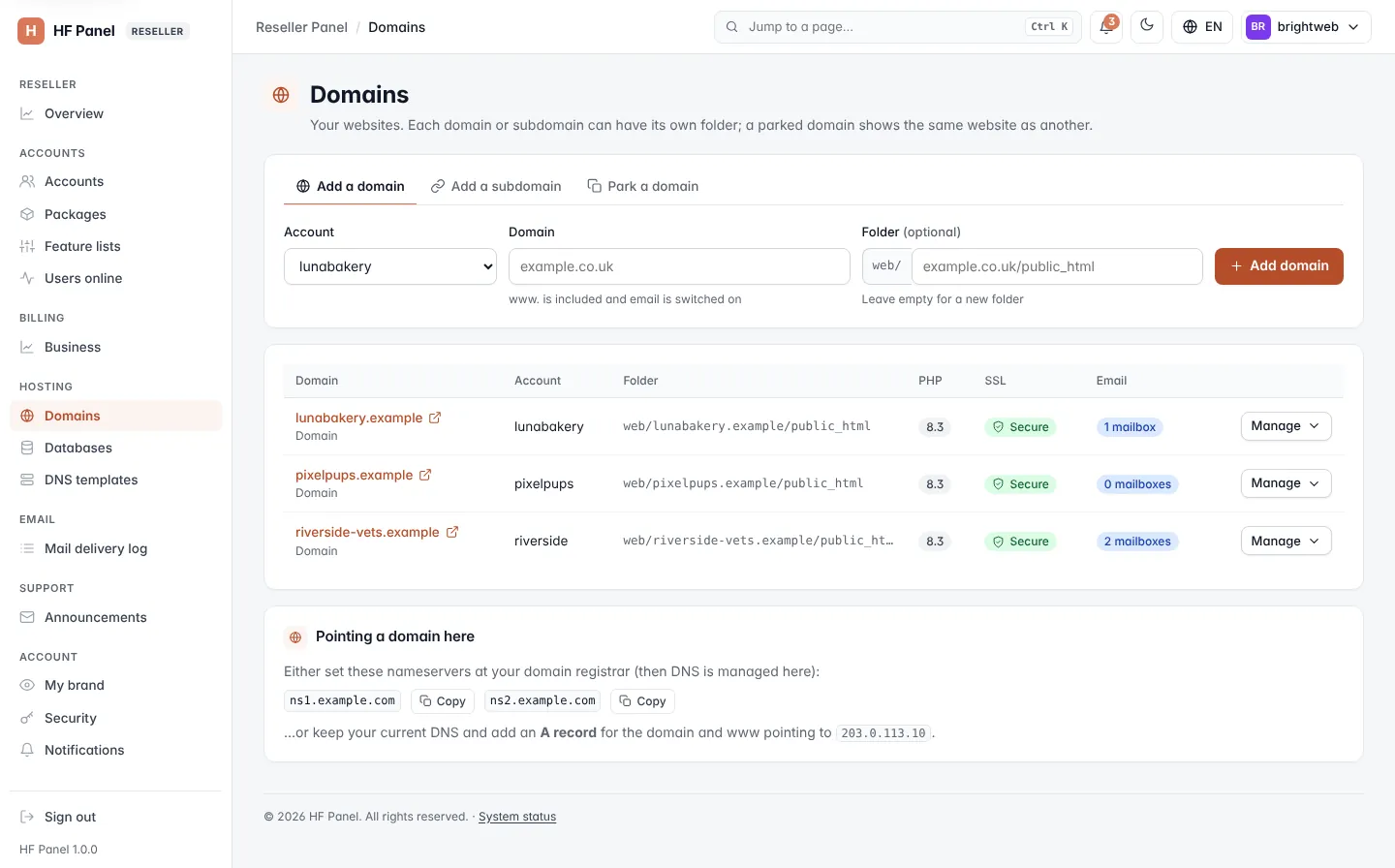
Add a domain for a customer
- Pick the customer's Account (only active accounts are listed).
- Enter the Domain, for example
example.co.uk, and optionally the Folder (leave empty for a new folder). - Click Add domain.
To add a subdomain or a parked domain instead, click Add a subdomain or Park a domain, choose the main domain (Of domain or Shows the website of), enter the name and click Add.
The domain counts towards the customer's package. Free SSL is added by itself within a few minutes once the domain points to the server.
Note: a domain that is (or is under) another reseller's own panel address or nameserver can't be added.
The list
Each domain shows its Account, kind, website folder, PHP version, SSL and email. You can change a website's folder or remove a domain here; for everything else, open the customer's Control Panel with Log in as.
Related
- Domains (the customer's screen)
- DNS templates
- My brand (your own nameservers)