 HF Panel
Visitor stats
See how many people visit a website, which pages they read, where they came from, and the busiest hours — without scripts or cookies.
The Visitor stats screen (Visitor statistics) shows how many people visit a website, which pages are popular and where visitors came from. The figures are counted every hour from your websites' access logs, so nothing is added to your website: no script, no cookies. Bots are counted separately.
Where: Control Panel › Websites › Visitor stats
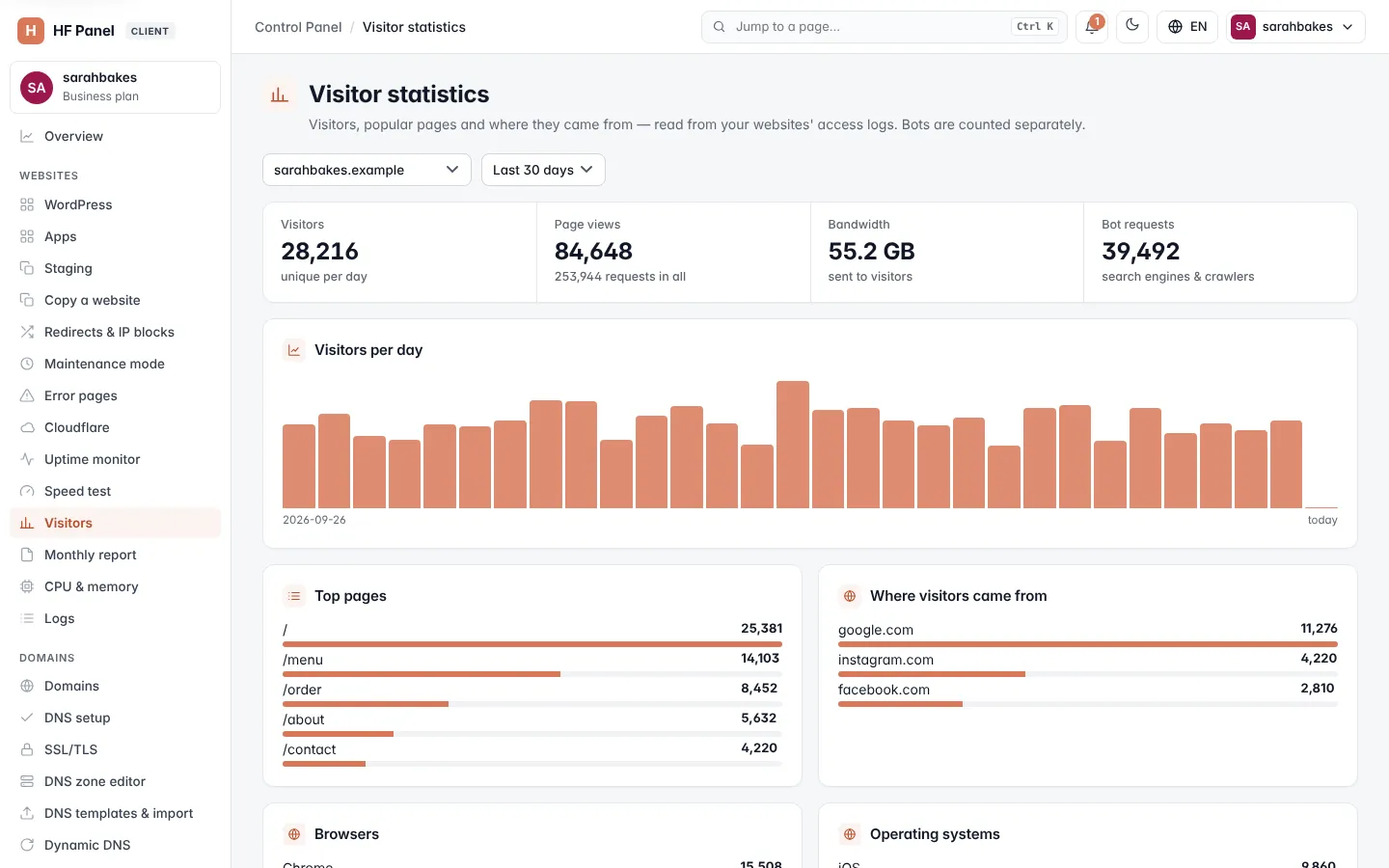
Choose a website and a period
At the top of the screen:
- Choose the website.
- Choose the period: Last 7 days, Last 30 days (the default), Last 90 days, Last 12 months or Custom range. For a custom range, pick the first and last day and click Show. Days are kept for 13 months.
Download CSV saves the period's figures with one line per day: date, visitors, page views, requests, bytes and bot requests.
Totals
| Figure | What it means |
|---|---|
| Visitors | unique visitors, counted per day and added up over the period |
| Page views | pages opened, and the number of requests in all (pages, images, styles, scripts) |
| Bandwidth | the data sent to visitors (bots included) |
| Bot requests | requests from search engines, crawlers, monitors and tools. They are not counted as visitors. |
Charts and top lists
Every chart has Show as table under it, with the same numbers as a table.
| Card | What it shows |
|---|---|
| Visitors per day | visitors and page views for each day of the period |
| Last 48 hours | visitors and page views per hour (hours are kept for 48 hours) |
| Busiest hours (UTC) | requests for each hour of the day over the period |
| Top pages | the 10 most-viewed pages |
| Where visitors came from | the 10 sites (domain only) that sent the most visitors. Empty when visitors typed the address or used a bookmark. |
| Countries | where visitors are, from the country list your host imported for the firewall rules; unknown without one |
| Devices | mobile, tablet or desktop |
| Browsers and Operating systems | the families, such as Chrome or Android |
| Response codes | the 10 most common answers, such as 200, 301, 404 and 500 |
Note: the figures are updated every hour, and when you open the screen if the last update is older than 15 minutes. The days before your website was first counted this way keep their nightly figures.
Tip: many 404 answers often mean broken links. Use Redirects to send old addresses to new pages, and check the raw lines on the Logs page.
Data protection
- No script runs on your website and no cookie is set: the figures come from the web server's access log, which the server keeps anyway.
- No visitor's IP address or browser string is stored with the statistics. A visitor is counted as a one-way code (a keyed hash of address and browser) with a random key that changes every day; the codes and the key are deleted after two days, so a code can't be turned back into an address or linked to another day.
- Referrers are kept as the site's domain only, pages without their query string, browsers and devices only as coarse families.
- Daily figures are kept for 13 months, hourly figures for 48 hours, then deleted.
Because no personal data is stored and nothing is placed on the visitor's device, the statistics usually need no cookie banner. Your own privacy notice should still say that the web server logs requests.
Related
- Logs
- Monthly report
- Overview — bandwidth for the whole account
- API: visitor statistics