 HF Panel
Staff logins
Give the people who help you run the server their own administrator login, with full or read-only access.
Staff logins gives the people who help you run the server their own administrator login, so nobody has to share yours. Read-only staff see everything and can answer support tickets and check support PINs, but cannot change or delete anything. Full-access staff are a second administrator.
Where: Server Admin › Accounts › Staff logins
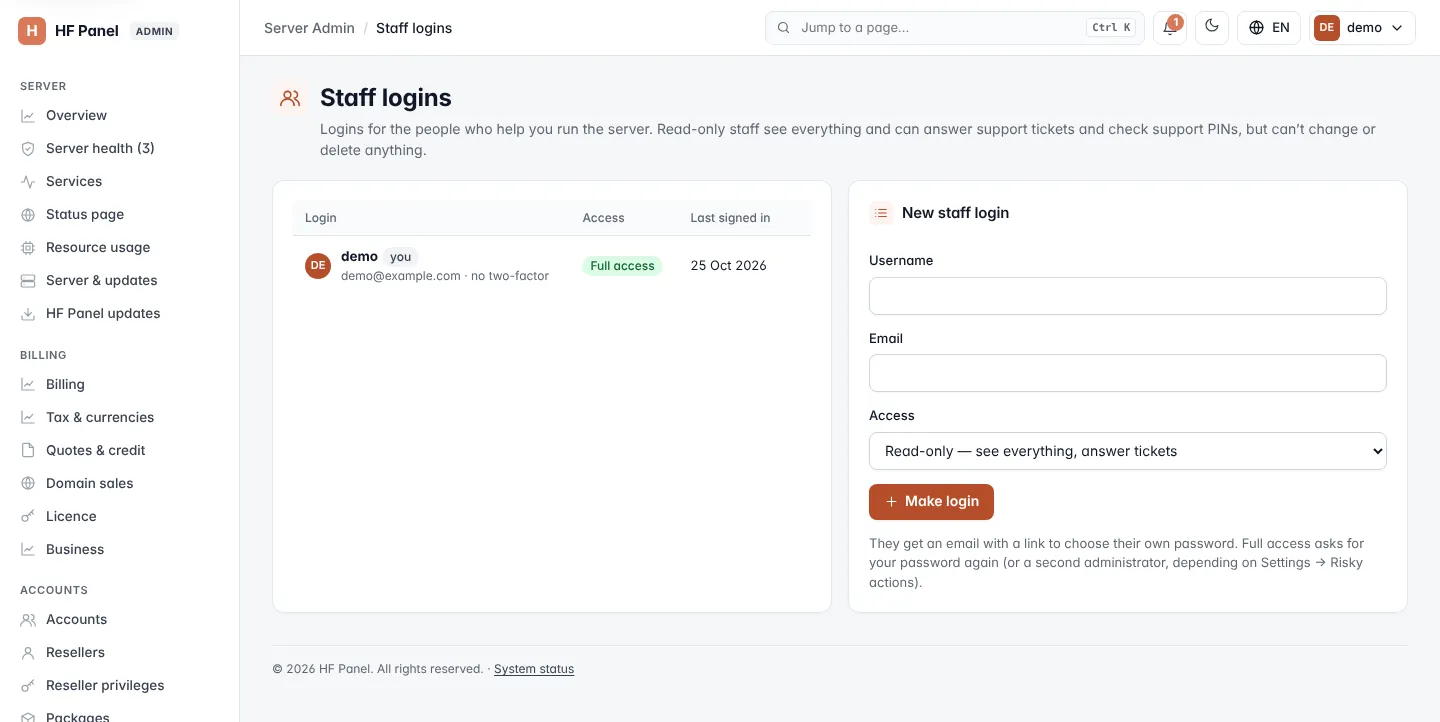
Add a staff login
- In New staff login, type a Username: 3–32 lowercase letters, numbers,
.,_or-, starting with a letter. - Type their Email.
- Choose the Access:
- Read-only — see everything, answer tickets
- Full access — a second administrator
- Click Make login.
They get an email with a link to choose their own password.
Important: giving full access is a risky action. Depending on Settings, it asks for your password again or waits for another administrator — see Approvals.
The staff list
The list shows every administrator login with its email, Access (Full access or Read-only) and when it Last signed in. Your own login is marked you and cannot be changed here.
| Action | What it does |
|---|---|
| Give full access / Make read-only | Changes the login's access. Giving full access may need approval. |
| Envelope icon | For someone who has never signed in: sends a new set-password email. |
| Remove | Removes the login after you confirm. Removing may need approval. |
Note: at least one administrator with full access always stays. You cannot make the last one read-only or remove it.