 HF Panel
Reseller privileges
Choose what each reseller may do, set their account, disk and bandwidth pools, allow overselling, and see their brand.
Reseller privileges decides, for each reseller, which administrator-like actions they may take and how much they can hand out: accounts, disk space and monthly bandwidth. It also shows the brand and nameservers they present to their customers.
Where: Server Admin › Accounts › Reseller privileges
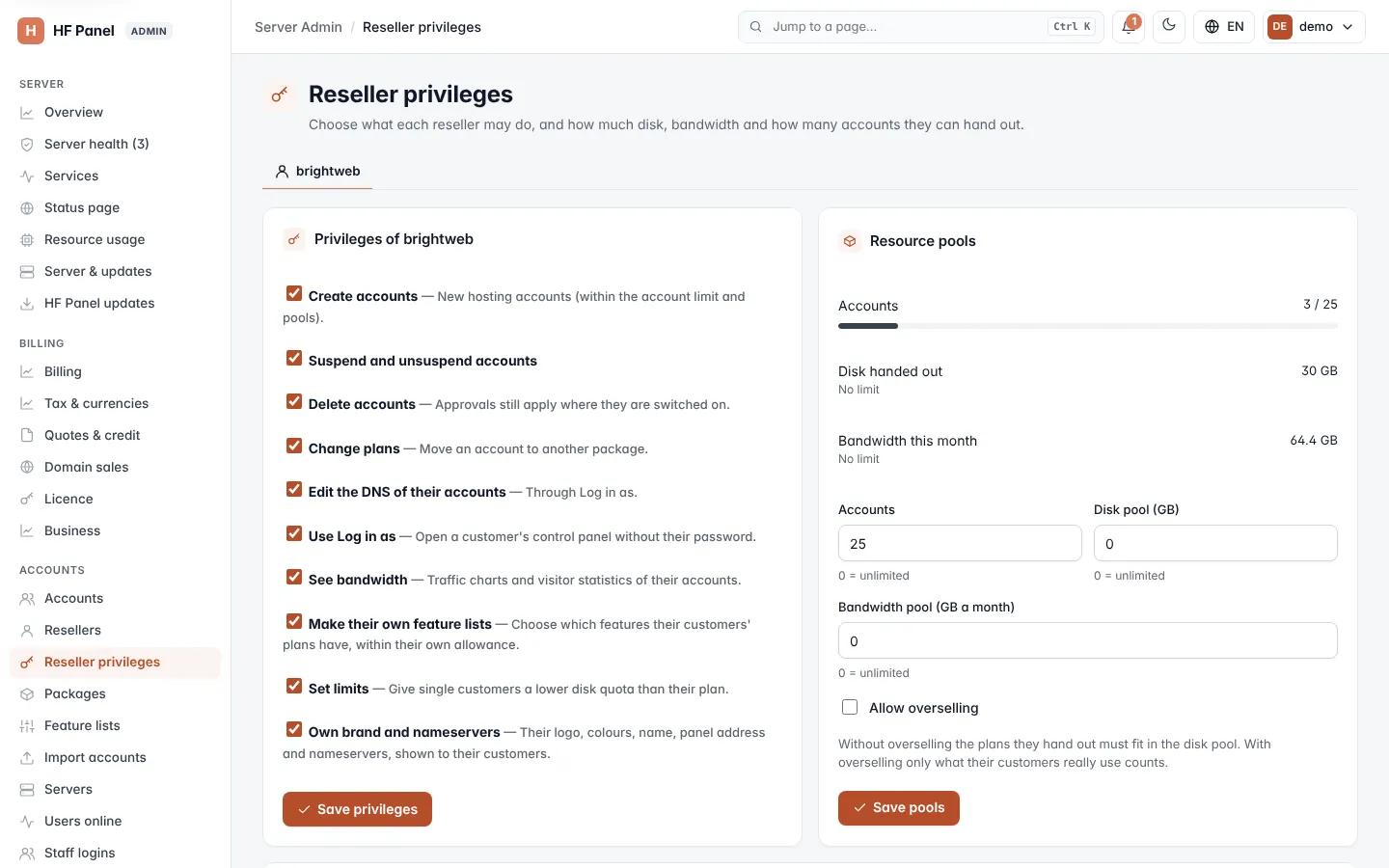
Pick the reseller with the tabs at the top. Suspended resellers are marked. You can also open this screen for one reseller with Privileges & pools on Resellers.
Choose what a reseller may do
-
Under Privileges of …, tick what the reseller may do:
Privilege What it allows Create accounts New hosting accounts, within the account limit and pools. Suspend and unsuspend accounts Suspending and reactivating their customers. Delete accounts Deleting their customers. Approvals still apply where they are switched on. Change plans Moving an account to another package. Edit the DNS of their accounts Through Log in as. Use Log in as Opening a customer's Control Panel without their password. See bandwidth Traffic charts and visitor statistics of their accounts. Make their own feature lists Choosing which features their customers' plans have, within their own allowance. Set limits Giving single customers a lower disk quota than their plan. Own brand and nameservers Their logo, colours, name, panel address and nameservers, shown to their customers. Own panel address Their own panel, webmail and files names with free SSL; emails to their customers come from their brand (Your panel address). Taking it away stops serving the names at once. -
Click Save privileges.
The changes apply at once.
Set resource pools
The Resource pools card first shows what the reseller has handed out:
- Accounts — accounts made, out of their limit;
- Disk handed out — the disk space of the plans they gave out (Disk used when overselling is on);
- Bandwidth this month — traffic of their accounts this month.
To change the pools:
- Set Accounts, Disk pool (GB) and Bandwidth pool (GB a month). 0 = unlimited.
- Tick Allow overselling if you want only what their customers really use to count against the disk pool. Without it, the plans they hand out must fit in the disk pool.
- Click Save pools.
| Field | Range |
|---|---|
| Accounts | 0 to 100,000 |
| Disk pool (GB) | 0 to 1,000,000 |
| Bandwidth pool (GB a month) | 0 to 10,000,000 |
Note: if you set a disk pool smaller than what the reseller has already handed out, existing accounts keep working. New accounts wait until there is room.
The Accounts figure here is the same account limit as on Resellers.
Their brand
The Their brand card shows the brand name the reseller shows their customers, their own panel address and their own nameservers, or that they show the server's brand.