 HF Panel
Business
Follow your reseller business — new accounts, cancellations, monthly revenue, churn and active accounts per plan.
The Business screen shows how your reseller business is doing, for your own customers only. It works like the administrator's Business screen.
Where: Reseller Panel › Billing › Business
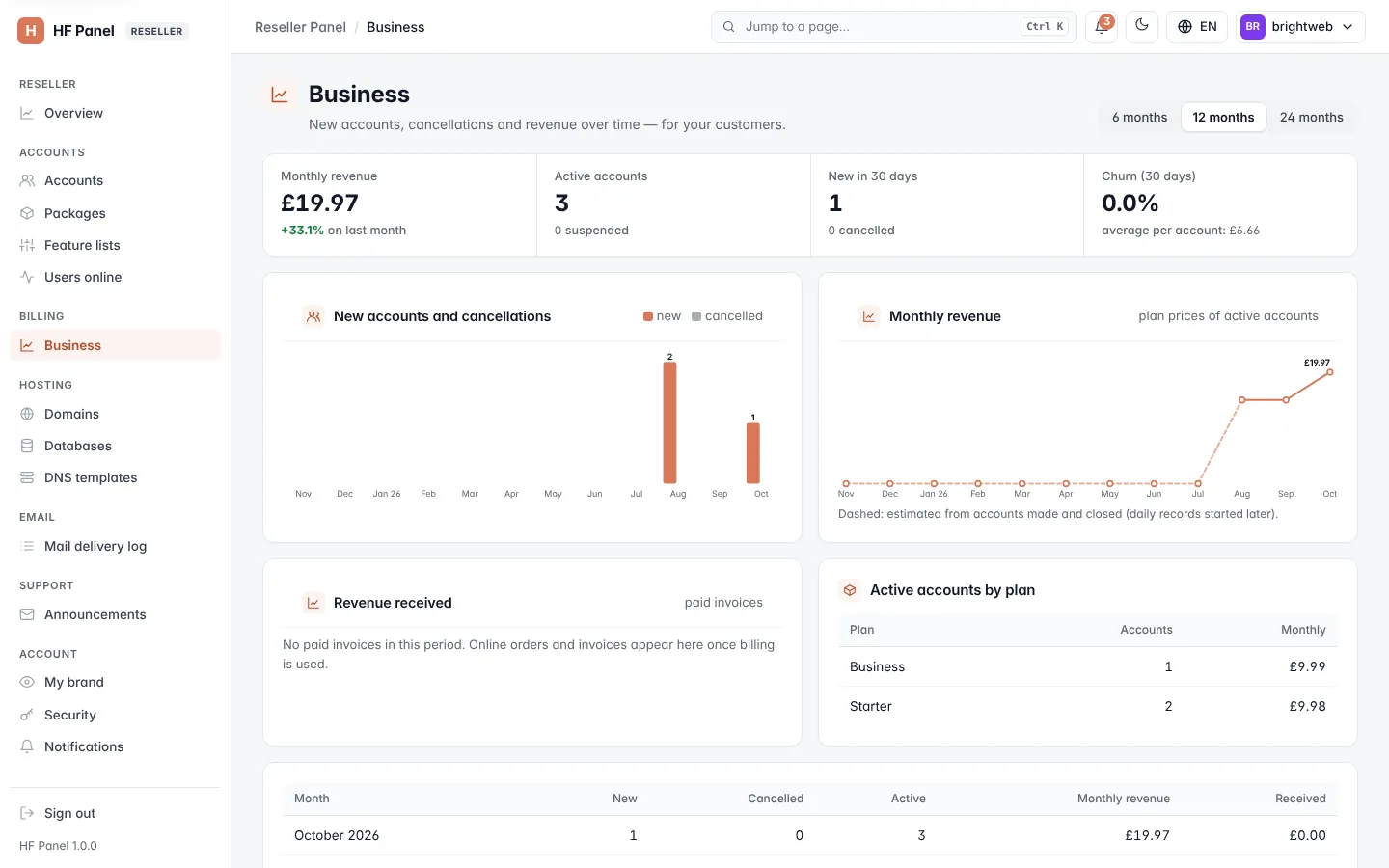
Figures
| Figure | What it shows |
|---|---|
| Monthly revenue | from the plan prices of your active accounts, with the change on last month |
| Active accounts | your active accounts, and how many are suspended |
| New in 30 days | accounts created in the last 30 days, and how many were cancelled |
| Churn (30 days) | accounts cancelled in the last 30 days as a share of your accounts, and the average revenue per account |
Charts and tables
- Monthly revenue and Revenue received (paid invoices) per month.
- New accounts and cancellations per month.
- Active accounts by plan — each Plan, its Accounts and its monthly revenue.
Choose 6, 12 or 24 months. Months marked * estimated (dashed in the charts) are worked out from accounts made and closed, from before daily records started.