 HF Panel
Support
Open a support ticket, follow the conversation, reply, close and reopen tickets, and find your support PIN.
The Support screen is where you talk to your hosting provider's support team. Open a ticket and the team answers here and by email. The menu shows how many tickets have an unread answer, for example Support (1).
Where: Control Panel › Support › Support
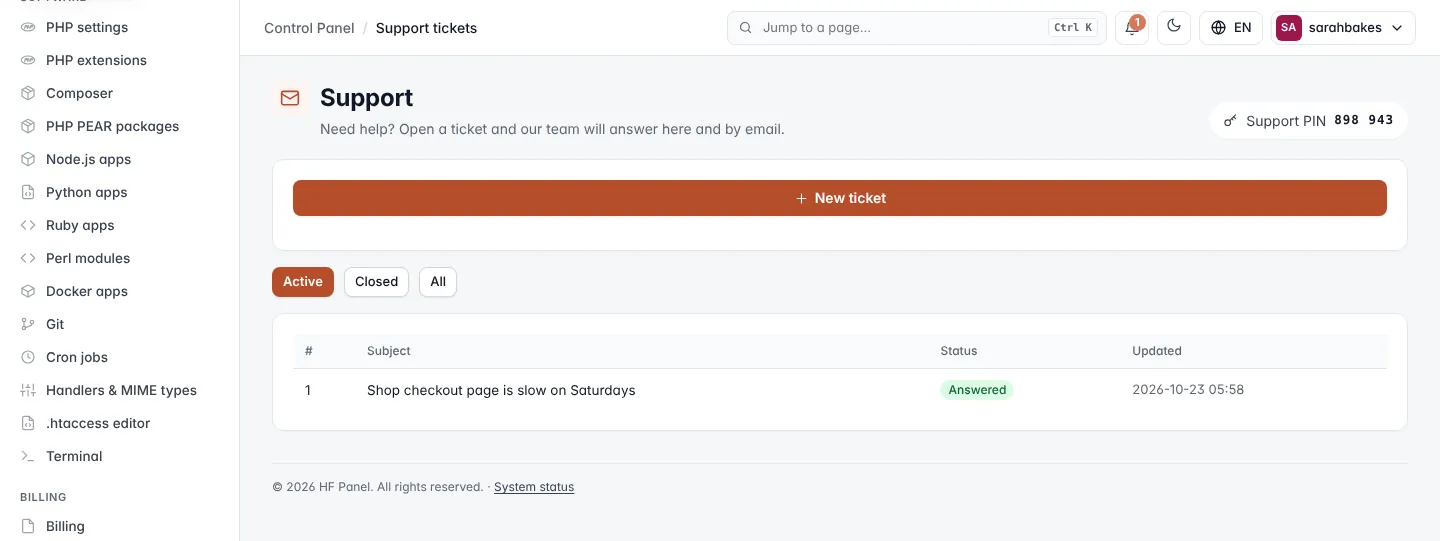
Your Support PIN is shown at the top. Read it out when you call or chat with support so they know it is really you; click it to manage it on Password & security.
Open a ticket
- Click New ticket (the form is already open when you have no tickets).
- Enter a Subject, for example
My website shows an error. While you type, help articles that may answer it appear under the subject. - Optionally choose the Website it is about.
- Choose the Priority: Low, Normal or High — site down.
- Describe What happened? — what you did, what you expected and what you saw instead.
- Click Send ticket.
You get an email when support answers. or ask the AI helper first → opens the AI helper.
| Rule | Detail |
|---|---|
| Subject | up to 150 characters |
| Open tickets | up to 10 at once; wait for answers or close some first |
Your tickets
The list shows your tickets with their Status and when they were Updated; tickets with a new answer are marked new. Choose Active, Closed or All to filter them.
| Status | Meaning |
|---|---|
| Waiting for support | the ticket is open and support has not answered your last message yet |
| Answered | support has replied |
| Closed | the ticket is closed |
Reply, close or reopen
Click a ticket to open the conversation.
- To reply, write in the box and click Send reply. Replying to a closed ticket reopens it.
- Close ticket closes it when your problem is solved.
- Reopen opens a closed ticket again.
← All tickets goes back to the list.
Reply by email
When your provider has email to ticket switched on, you can also write to their support address from your account's email address (or a team member's): the email becomes a ticket. Answer a ticket email to add to the ticket — keep your text above the line ##- Please type your reply above this line -##.
Rate the help you got
When a ticket you opened is closed, you are asked How did we do with this ticket? — on the ticket and by email. Click 1 to 5 stars; you can add a comment and change your rating for 30 days.
Related
- Support tickets (Server Admin)
- AI helper
- Help
- Notifications