 HF Panel
Databases
List every MySQL, PostgreSQL and MongoDB database on the server and create a quick MySQL database for a customer.
The Databases screen lists every customer database on the server, whatever the engine, with the account that owns it. You can also create a ready-to-use MySQL database for a customer in one step. Database users, privileges, imports, exports and remote access are managed by the customer in their own Control Panel.
Where: Server Admin › Hosting › Databases
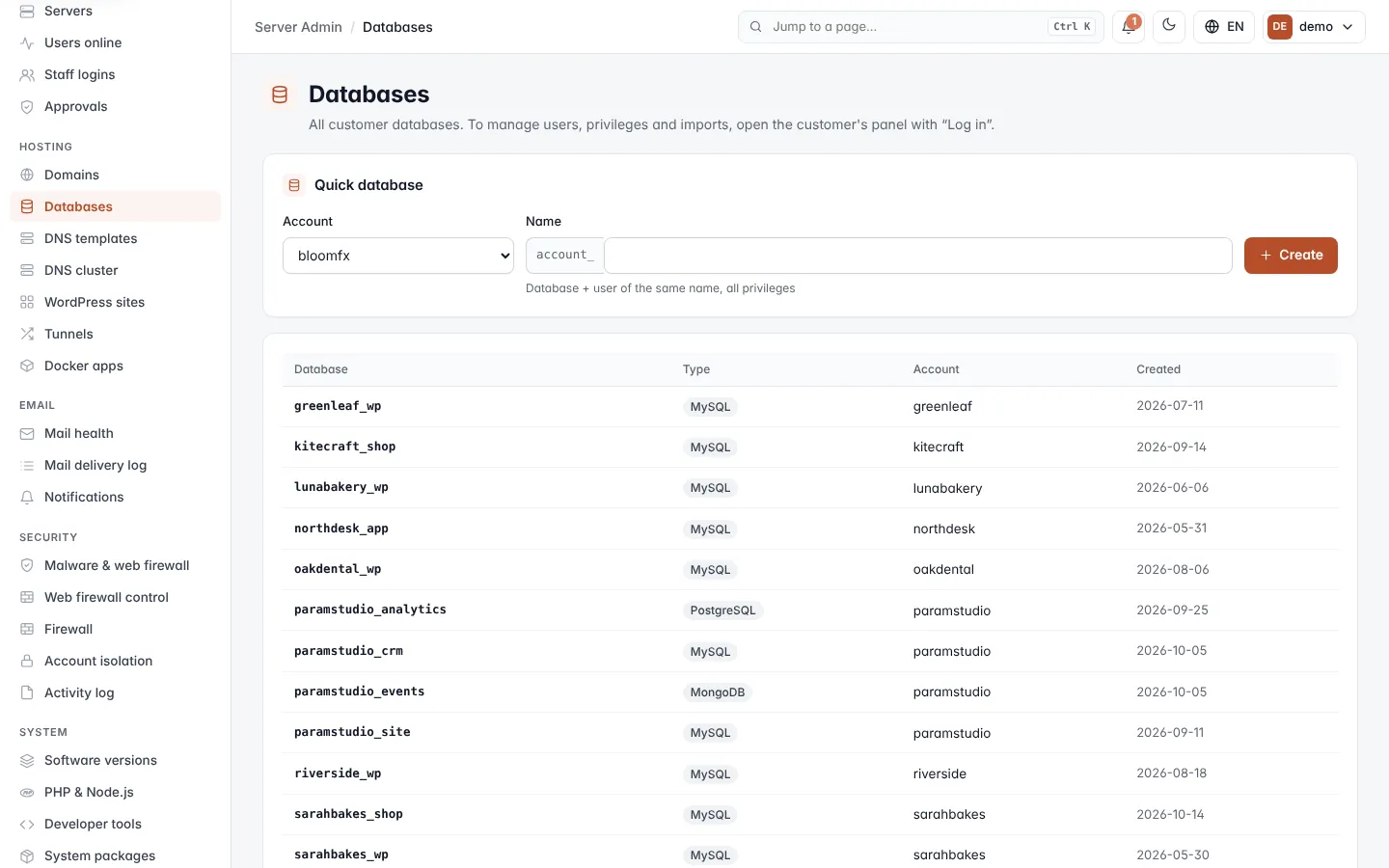
Read the databases list
| Column | What it shows |
|---|---|
| Database | The database name. Every name starts with the account name and an underscore, for example sarahbakes_shop. |
| Type | MySQL, PostgreSQL or MongoDB. |
| Account | The customer account that owns the database. |
| Created | The date the database was created. |
Create a quick database
Quick database creates a MySQL database and a database user of the same name with all privileges on it.
- In Account, choose the customer. Only active accounts are listed.
- In Name, type the part after the underscore, for example
shop. The full name becomessarahbakes_shop. - Click Create.
The message shows the database name, the user name, a random 20-character password and the host (localhost).
| Field | What it does |
|---|---|
| Account | The account the database belongs to. Its package's database limit applies. |
| Name | 1–15 lowercase letters, numbers or _. Some names are reserved and are refused. |
Important: the password is shown only once. Copy it and pass it on to the customer before you leave the page.
The database is refused when a database or database user with that name already exists, or when the account has reached its package's database limit.
Manage users, privileges and imports
To add more database users, change privileges, import a .sql file, export a database or allow remote access, log
in to the customer's Control Panel with Log in on the Accounts screen and
open their database screen there.