 HF Panel
Logs
Read the newest lines of the Apache, PHP, MySQL and HF Server logs in HF Server, filter them and empty log files.
The Logs page shows the newest lines of the main log files, updated every 2 seconds. Errors are in red.
Where: HF Server › Logs
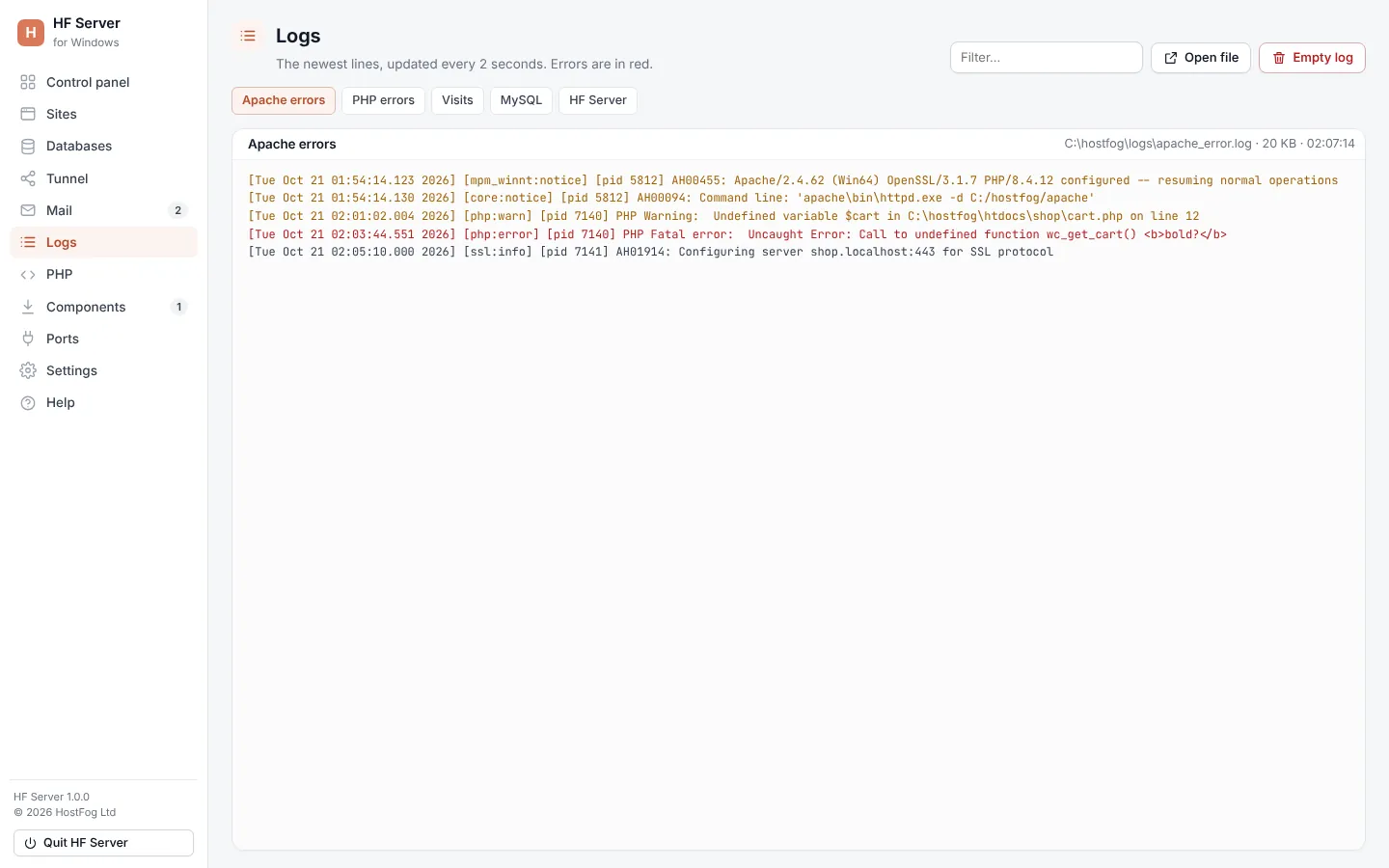
The logs
| Log | What it holds |
|---|---|
| Apache errors | logs/apache_error.log |
| PHP errors | logs/php_error.log |
| Visits | Apache's access log, logs/apache_access.log |
| MySQL | logs/mysql_error.log |
| HF Server | HF Server's own log, logs/panel.log |
The newest 600 lines are shown. A log that doesn't exist yet is created when the server first writes to it.
Work with a log
| Control | What it does |
|---|---|
| Filter… | shows only the lines that contain the text |
| Open file | opens the log in your text editor |
| Empty log | empties the log file after you confirm |
The other servers' logs (Nginx, Redis, PostgreSQL) open from the Logs menu on their card on the
Control panel. JavaScript dev servers write to logs/dev-<site>.log.
From a terminal: hostfog logs apache-error -f follows a log. See Command line.