 HF Panel
Activity log
See sign-ins and every change made in your hosting account over the last 12 months, by you, your team or support.
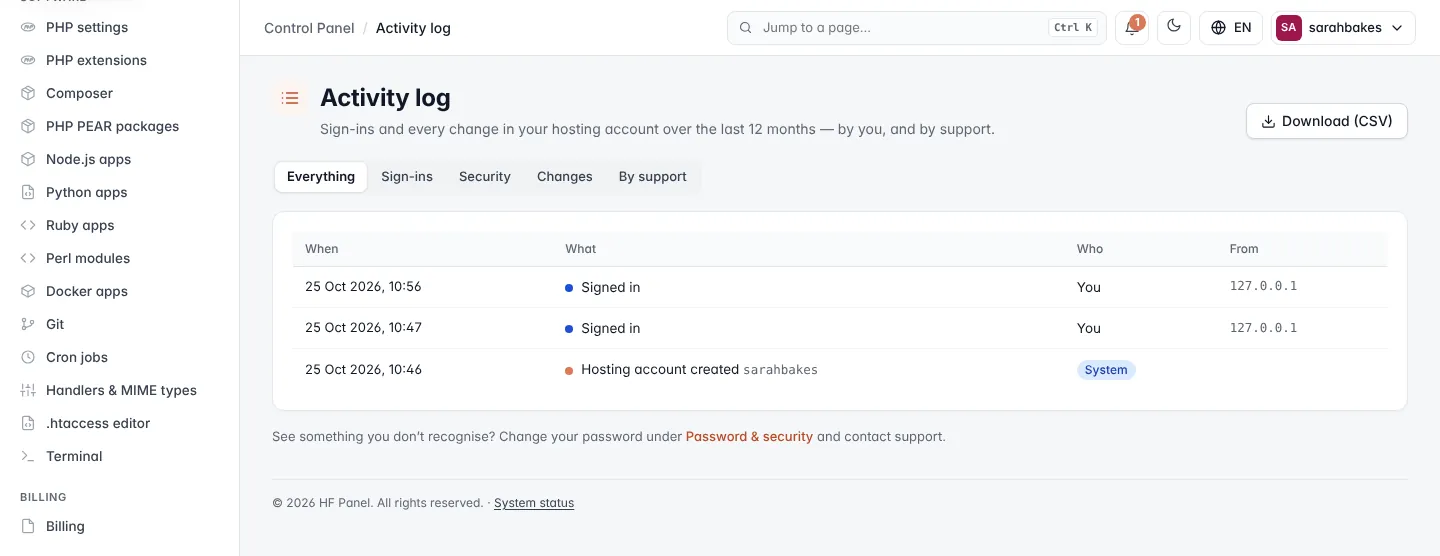
The Activity log shows sign-ins and every change in your hosting account over the last 12 months — by you, your team, and by support.
Where: Control Panel › Account › Activity log
Read the log
Each row shows When it happened, What happened (with a short detail), Who did it and From which IP address. Changes made by support are marked with a blue Support label and show no IP address.
Filter the list with the buttons at the top:
| Filter | Shows |
|---|---|
| Everything | all entries |
| Sign-ins | sign-ins to the panel |
| Security | password, two-factor and other security changes |
| Changes | changes to your hosting |
| By support | changes made by your hosting provider's staff |
The log shows 50 entries a page. Use ← Newer and Older → to move between pages.
Download the log
Click Download (CSV) to download the list — with the filter you chose — as a CSV file (up to 5,000 rows), with the time in UTC, who, the action, the detail and the IP address.
Tip: see something you don't recognise? Change your password under Password & security and contact support.