 HF Panel
Settings
HF Server settings for ports, network access, site addresses, HTTPS, the mail catcher, backups, outgoing mail, updates and start-up.
The Settings page holds everything HF Server remembers. Settings are saved in hostfog.json in the HostFog folder.
Click Save settings at the top after making changes. Restart a server to use new port settings.
Where: HF Server › Settings
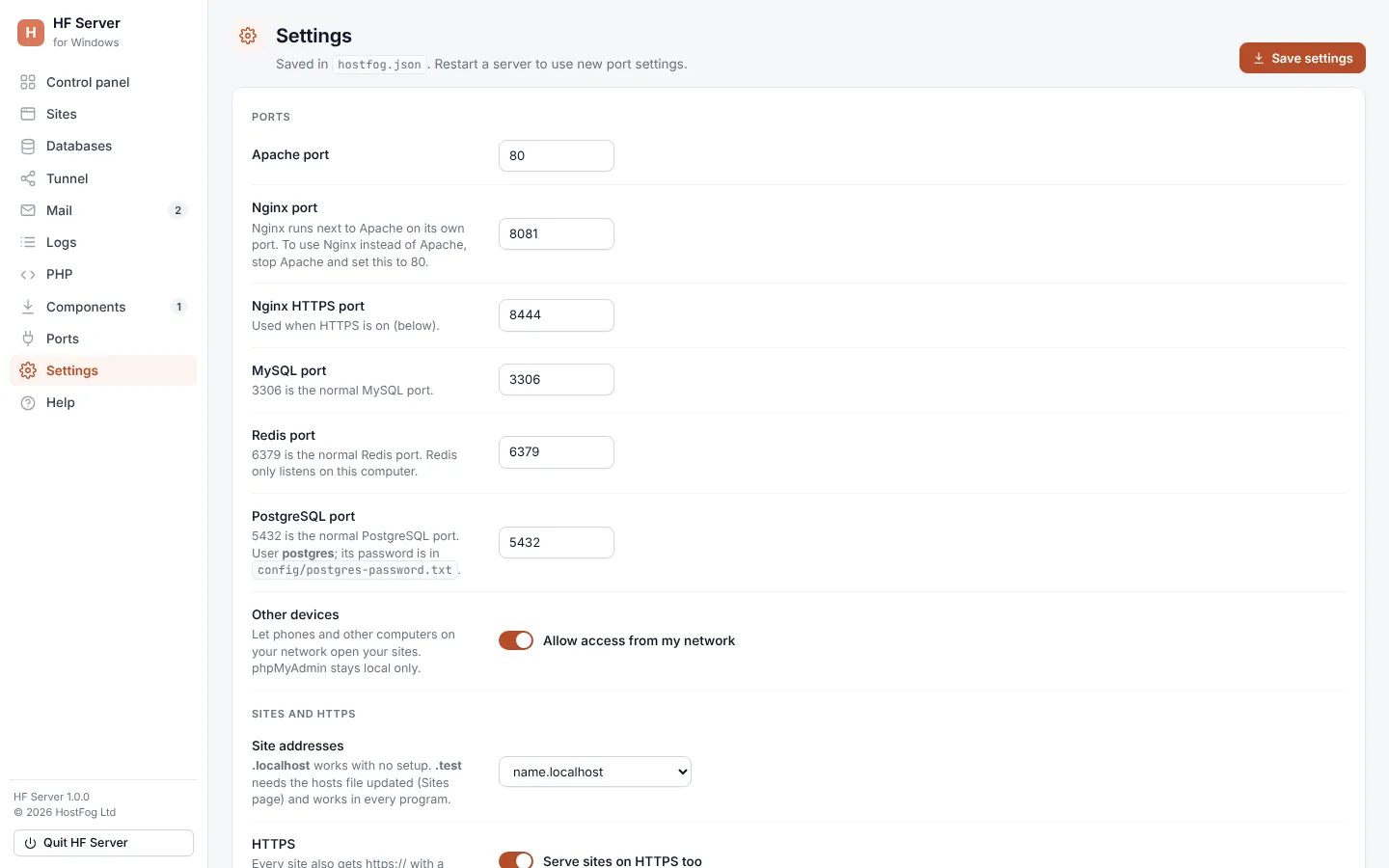
Ports
| Setting | Default | Notes |
|---|---|---|
| Apache port | 80 (8080 on Linux) | use 8080 if another program has 80 |
| Nginx port | 8081 | Nginx runs next to Apache on its own port; to use Nginx instead of Apache, stop Apache and set this to 80 |
| Nginx HTTPS port | 8444 | used when HTTPS is on |
| MySQL port | 3306 | |
| Redis port | 6379 | Redis only listens on this computer |
| PostgreSQL port | 5432 | user postgres; its password is in config/postgres-password.txt |
| Other devices | off | Allow access from my network lets phones and other computers on your network open your sites; phpMyAdmin stays local only |
Two servers can't use the same port; HF Server refuses settings where they clash.
Sites and HTTPS
| Setting | What it does |
|---|---|
| Site addresses | name.localhost works with no setup; name.test needs the hosts file updated (Sites page) and works in every program |
| HTTPS | Serve sites on HTTPS too: every site also gets https:// with a certificate made on this computer |
| HTTPS port | 443 (8443 on Linux, no administrator rights needed) |
See HTTPS and phones.
Mail and backups
| Setting | What it does |
|---|---|
| Mail catcher | Catch all email: keeps every email PHP sends, so nothing reaches real people |
| Mail catcher SMTP port | 1025 by default |
| Daily database backups | On: once a day while MySQL runs, saved in backups/databases/daily; Keep 1–365 days (7 by default) |
Outgoing mail
Compose on the Mail page can send to real inboxes through a mail server you set here. Your sites' own email is still caught.
| Setting | What it does |
|---|---|
| Use Gmail / Use Outlook | fill in the server, port and security for those providers; add your address and password |
| SMTP server | host name, port and security (STARTTLS, SSL/TLS or None) |
| User name | usually your full email address |
| Password | the mailbox's password, or the app password your provider asks for; saved in hostfog.json on this computer |
| From address | used when Compose's From is empty |
Updates
| Setting | What it does |
|---|---|
| Check for new versions | Check every day: Apache, PHP, MariaDB, phpMyAdmin, the tools and HF Server itself |
| Install updates by themselves | Install automatically: only bug-fix and security updates in the same series, and only while that server is stopped |
Start and close
| Setting | What it does |
|---|---|
| When you sign in to your computer | Open HF Server |
| When HF Server opens | Start Apache, Start MySQL, Start Nginx, Start Redis, Start PostgreSQL |
| When HF Server closes | Stop the servers too (on by default) |
PHP and MySQL
| Setting | What it does |
|---|---|
| PHP time zone | for example Europe/London |
| PHP version | (Windows) Automatic (recommended) or a PHP series; the list comes live from php.net |
| MariaDB version | (Windows) Automatic (recommended) uses the newest long-term support version, or choose one |
| MySQL root password | the password MySQL's root user already has; HF Server uses it to stop MySQL cleanly. To change it, use Databases › Root password |
Other
| Setting | What it does |
|---|---|
| Text editor | the program used to open config and log files; leave empty for your system's default (Notepad on Windows) |
| Files | buttons to open the Main folder, config, logs and data folders |
Remove
Uninstall HF Server… removes HF Server completely. See Uninstall.