 HF Panel
Announcements
Tell customers about maintenance or news as a banner, by email or both, now or later, for everyone, a package, a reseller or a feature.
Announcements tell your customers about planned maintenance, outages, new features or anything else — as a banner on their overview, by email, or both, now or at a time you choose.
Where: Server Admin › Support › Announcements
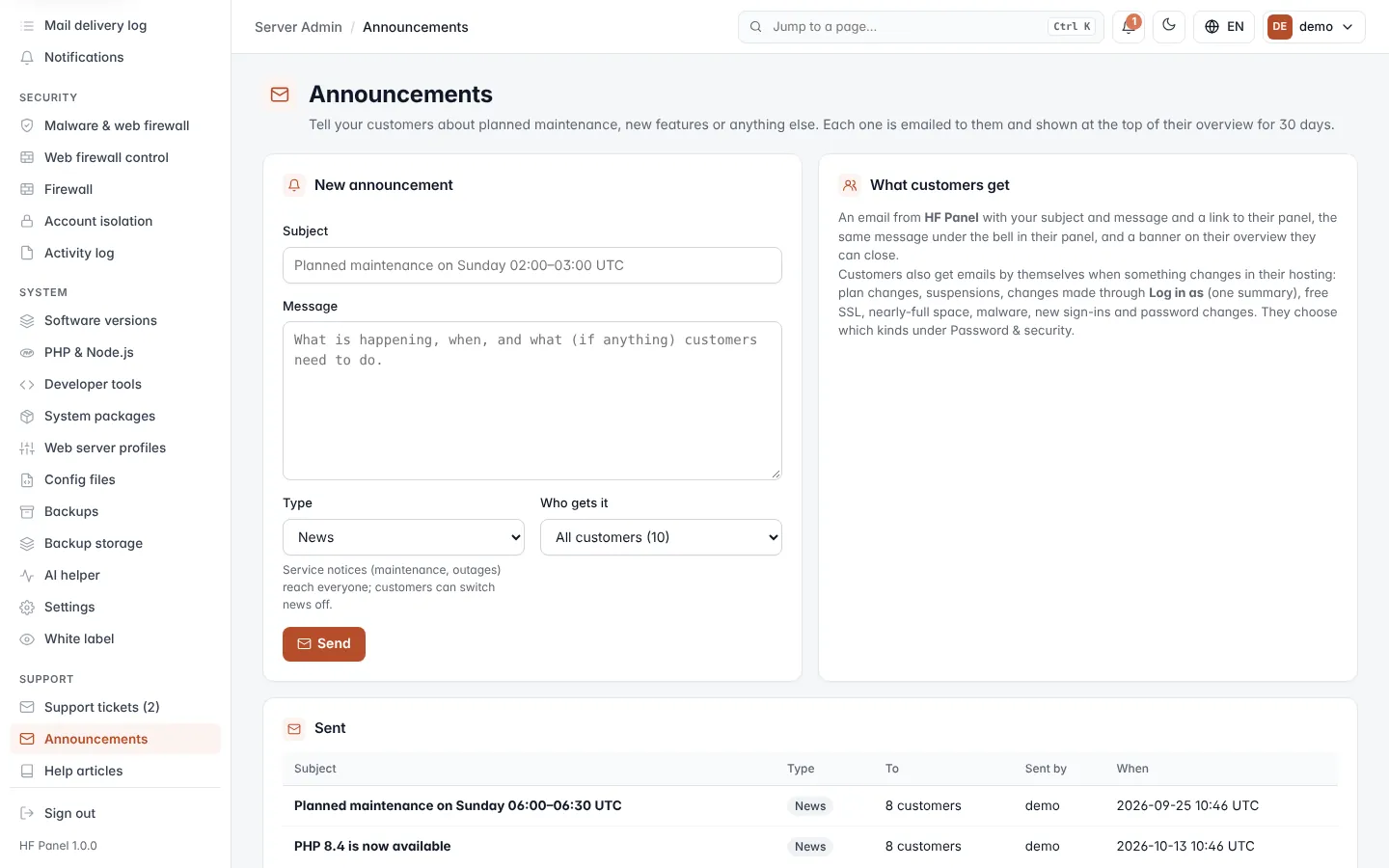
Resellers have the same screen; their announcements always reach only their own customers.
Send an announcement
- Fill in the New announcement form (see below). The Preview shows the banner as customers will see it.
- Click Send (or Schedule when you picked a time) and confirm.
| Field | What it does |
|---|---|
| Subject | Up to 150 characters, for example "Planned maintenance on Sunday 02:00–03:00 UTC". |
| Message | Up to 10,000 characters of simple Markdown: ## Heading, - list, 1. steps, **bold**, `code`, [link text](https://…). It is drawn as text, never as HTML. |
| Type | News, or Service notice for maintenance and outages. |
| Who gets it | All customers, One package's customers, One reseller's customers or Accounts with a feature (a feature their plan has, from the Feature Manager). |
| How | Banner on their overview and / or Email. |
| Show the banner until | The banner's last day. Empty = 30 days. Customers can close it. |
| Send at (UTC) | Empty = now. Otherwise it waits and goes out within five minutes of that time. |
Who gets it is worked out when it is sent, so a scheduled announcement reaches the customers who match at that time.
Important: service notices reach every customer. News emails carry an unsubscribe link and reach only customers who have not switched news off. Use Service notice only for messages customers must not miss.
What customers get
- Email: an email from your brand with your subject, message and a link to their panel, and the same message under the bell in their panel. The emails go out in batches over the next few minutes.
- Banner: a banner on their overview until its last day, which they can close.
See what was sent
The Sent table lists the last 50 announcements, newest first:
| Column | What it shows |
|---|---|
| Subject | The subject, the type, scheduled or cancelled, and who sent it. |
| To | How many customers it reaches, and the package, reseller or feature it was for. |
| Emails | How many emails were sent, and how many are still going out. |
| Banner seen | How many customers saw the banner, and how many closed it. |
| When | When it was sent, or when it will be (UTC). |
Click the × next to a scheduled announcement to cancel it before it goes out.