 HF Panel
Disk usage
See how much disk space and how many files your account uses, and which folders, mailboxes and databases take the most.
The Disk usage screen shows what takes up space in your account. Website files, email, databases and backups all count. The figures are measured live each time you open the screen.
Where: Control Panel › Files › Disk usage
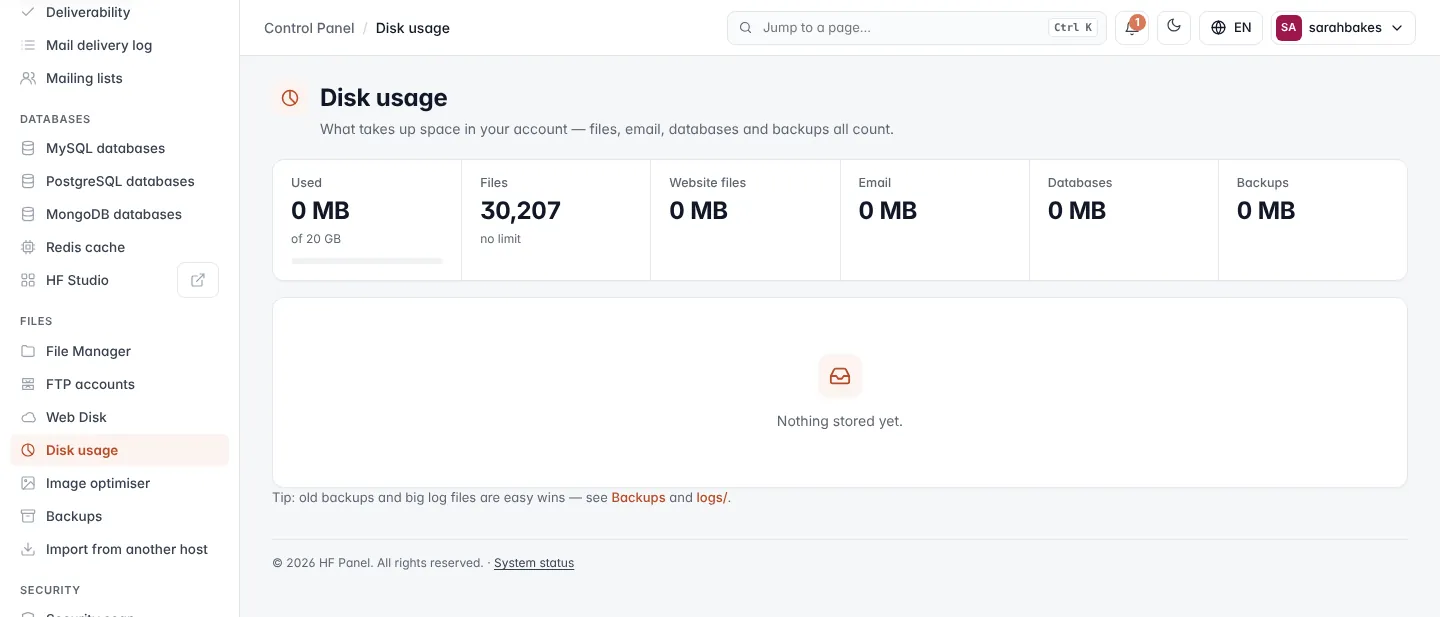
Figures
| Figure | What it shows |
|---|---|
| Used | total space used, of your package's limit (or of unlimited), with a meter that turns red above 90 % |
| Files | how many files and folders you have, of your package's limit (or no limit) |
| Website files | space used by your websites in web/ |
| space used by your mailboxes | |
| Databases | space used by your databases |
| Backups | space used by your backups |
Note: Files counts every file and folder, emails included — each email is a file. Caches, sessions and old emails are usually where most of them are.
What takes the space
Below the figures is a list of every folder in web/, every other folder in your home, every mailbox
(Email for), every Database and your Backups, biggest first. Each row has a bar sized against the
biggest item.
Tip: old backups and big log files are easy wins. Delete old backups on Backups and look in the
logs/folder with the File Manager.