 HF Panel
Contacts
Keep an address book in HF Mail: add and edit contacts, sort them into groups, import .vcf or .csv files and export to .vcf.
Your address book in HF Mail. The same contacts are available on your phone and computer through CardDAV (see Mail apps and phones).
Where: HF Mail › Tools › Contacts
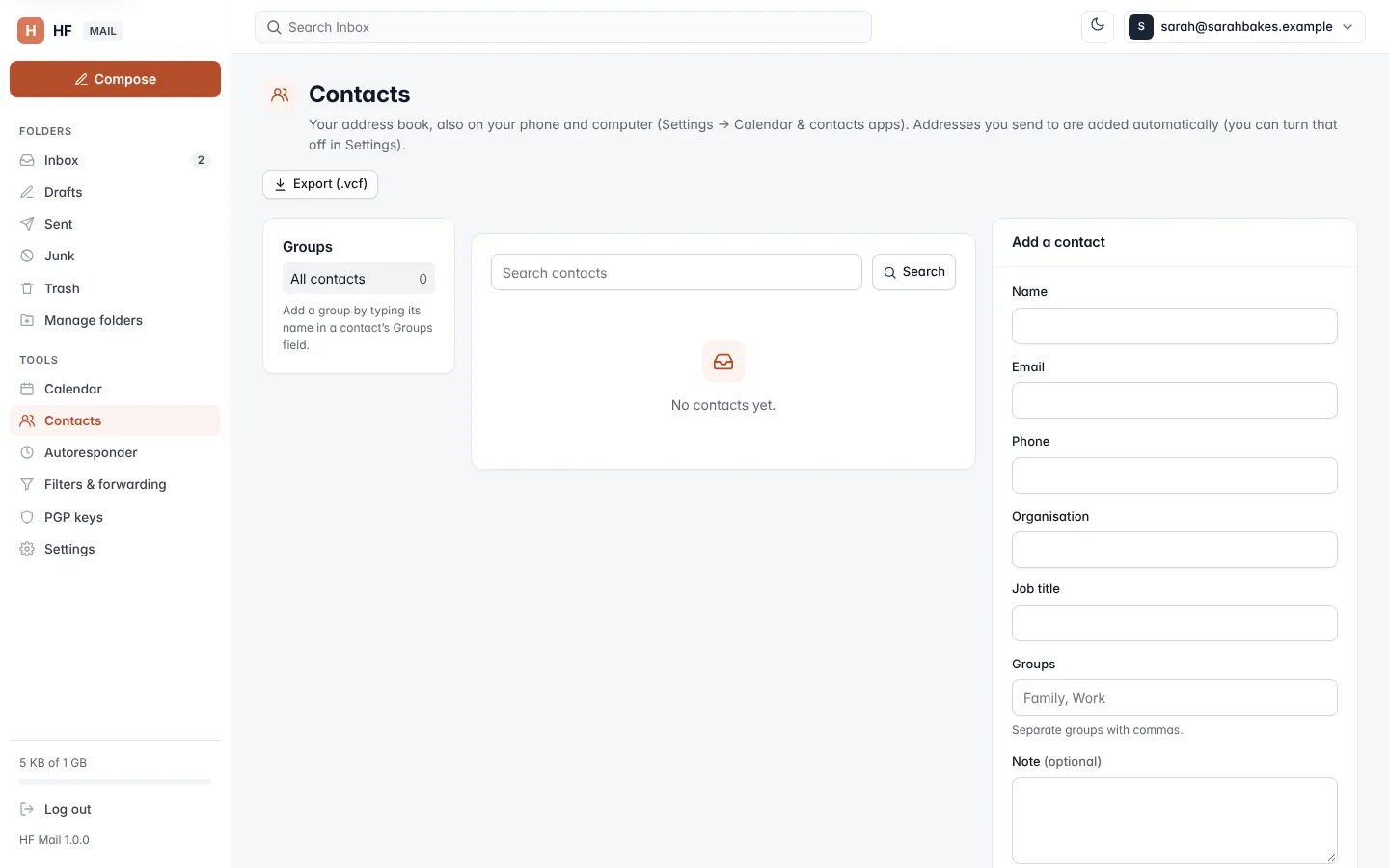
Add a contact
- Open Contacts.
- Under Add a contact, fill in the fields.
- Click Save.
| Field | What it does |
|---|---|
| Name | the contact's name (up to 100 characters) |
| one or more addresses; at most 20 | |
| Phone | one or more phone numbers; at most 20 |
| Organisation | company or organisation |
| Job title | the contact's role |
| Groups | the groups the contact belongs to, separated by commas (for example Family, Work) |
| Note | anything else (optional, up to 2,000 characters) |
You can also add a sender straight from a message: click + Add to contacts next to their name.
People you write to are added automatically, unless you turn off Add people I write to to my contacts in Settings.
Find, edit and write to contacts
- Type in Search contacts and click Search to find contacts by name, address or organisation.
- Click Edit on a contact to change it, then Save. Cancel closes the form.
- Click Write to start a new message to that contact.
Groups
Groups are listed on the left with their number of contacts. Click a group to see only its contacts; All contacts shows everyone.
- Add a group: type its name in a contact's Groups field.
- Add several contacts to a group: tick them, click Add to group and type the group's name.
- Rename a group: open it and click Rename.
- Delete a group: open it and click Delete. The contacts are kept.
Delete contacts
Tick the contacts and click Delete, or click the delete button on one contact. Confirm when asked.
Import contacts
- Under Import, choose a file.
- Click Import.
You can import a .vcf file (vCard, as exported by most mail and phone apps) or a .csv file with name and email
columns. At most 2 MB of a file is read.
Export contacts
Click Export (.vcf) at the top of the page to download every contact as a vCard file.